:/ mod documentation
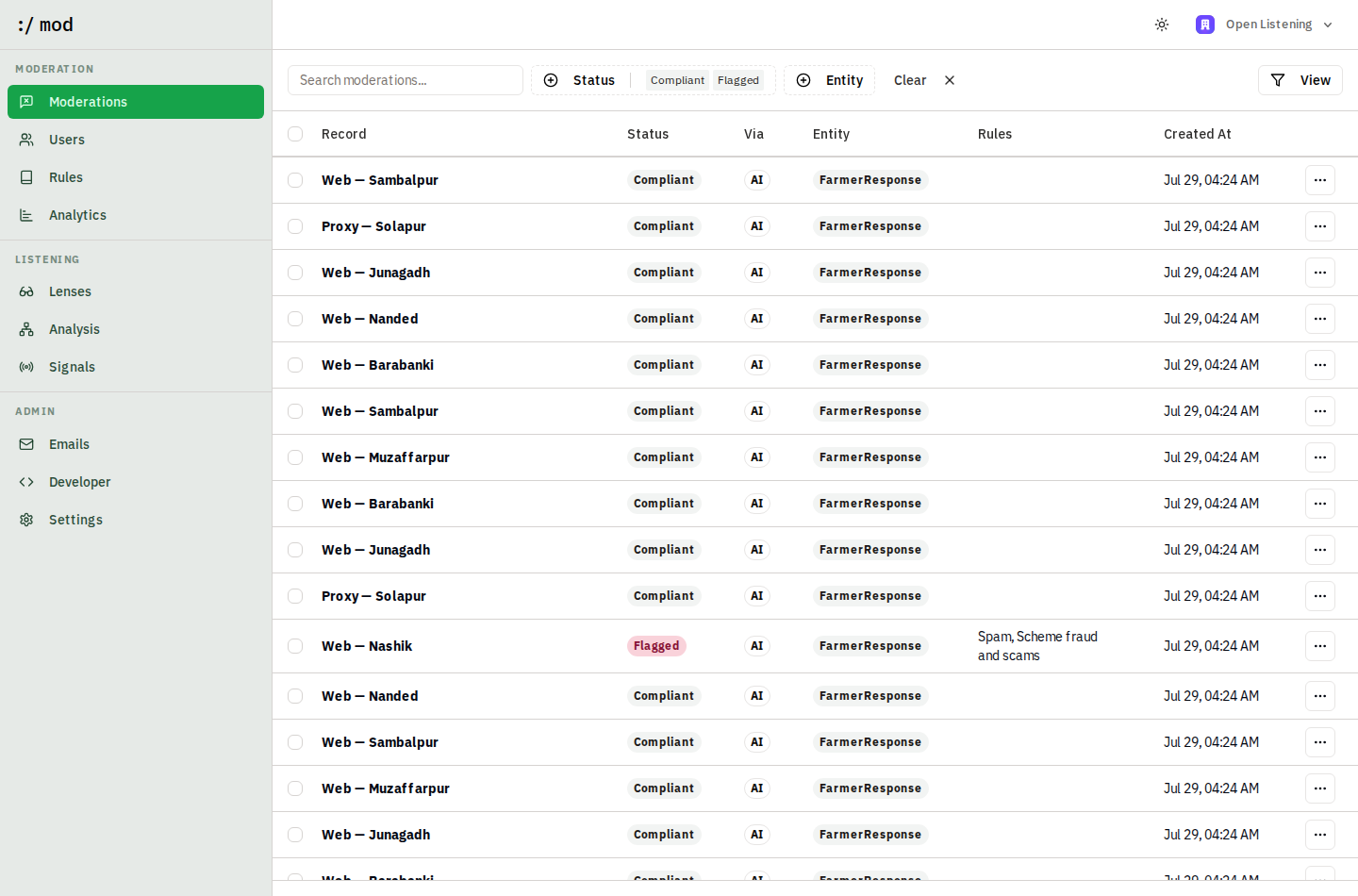
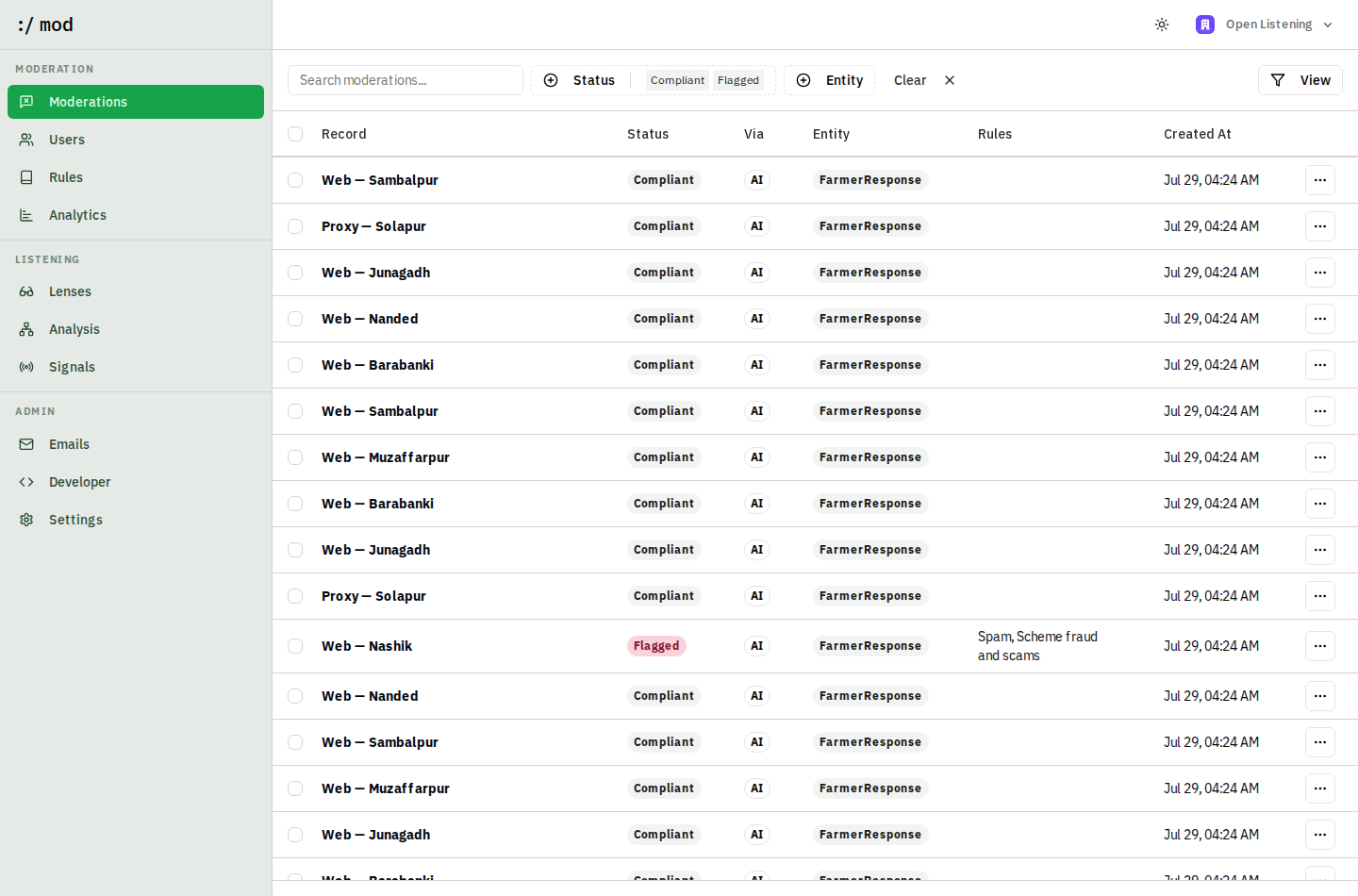
:/ mod is the API-first content-moderation guardrail of the Open Listening Block. Everything it does (moderating content, managing the category taxonomy, reading presets) is available over HTTP, so an OpenAgriNet instance can drive :/ mod from its own pipeline. The dashboard is a human review surface on top of the same data: flagged content waits in quarantine until a reviewer keeps or restores it.
Overview
You send content (a farmer's response, a comment, a listing: any text plus optional images) to :/ mod. Each submission becomes a record, which is evaluated against every rule in your organization's ruleset by an LLM. The result is a moderation: Compliant or Flagged, with reasoning and the list of rules it violated. Flagged records surface in the dashboard for human review, can automatically suspend repeat-offender users, and suspensions can be appealed. Webhooks push every outcome back to your systems.
Core concepts
Records
A record is one piece of content, identified by your clientId (submitting the same clientId again updates the record and re-moderates it). A record has a display name, a free-form entity type (e.g. FarmerResponse), text content, optional image URLs, and optionally the user who authored it.
Rules & strategies
A rule is one category in your moderation taxonomy, e.g. Scheme fraud and scams. Each rule contains one or more strategies, the actual detection mechanisms:
- Prompt — a plain-language instruction with Allowed / Not allowed guidelines, evaluated by an LLM against each record. Works across languages: rules written in English correctly flag Marathi and Hindi content.
- Blocklist — a list of exact terms that flag a record on match. Cheap and deterministic; good for slurs, banned product names, known scam URLs.
A record is flagged if any strategy of any rule matches; all matching rules are attributed on the moderation.
Presets vs custom rules
Presets are shipped rule definitions maintained in code (presets/presets.ts) — attach one and you get its behavior as-is, read-only, updated when the deployment updates. Custom rules are owned by your organization: you write the name, description, and strategies yourself, and can review and edit the LLM prompt at any time in the dashboard or over the API. The taxonomy is programmable; nothing is hard-wired.
Moderations
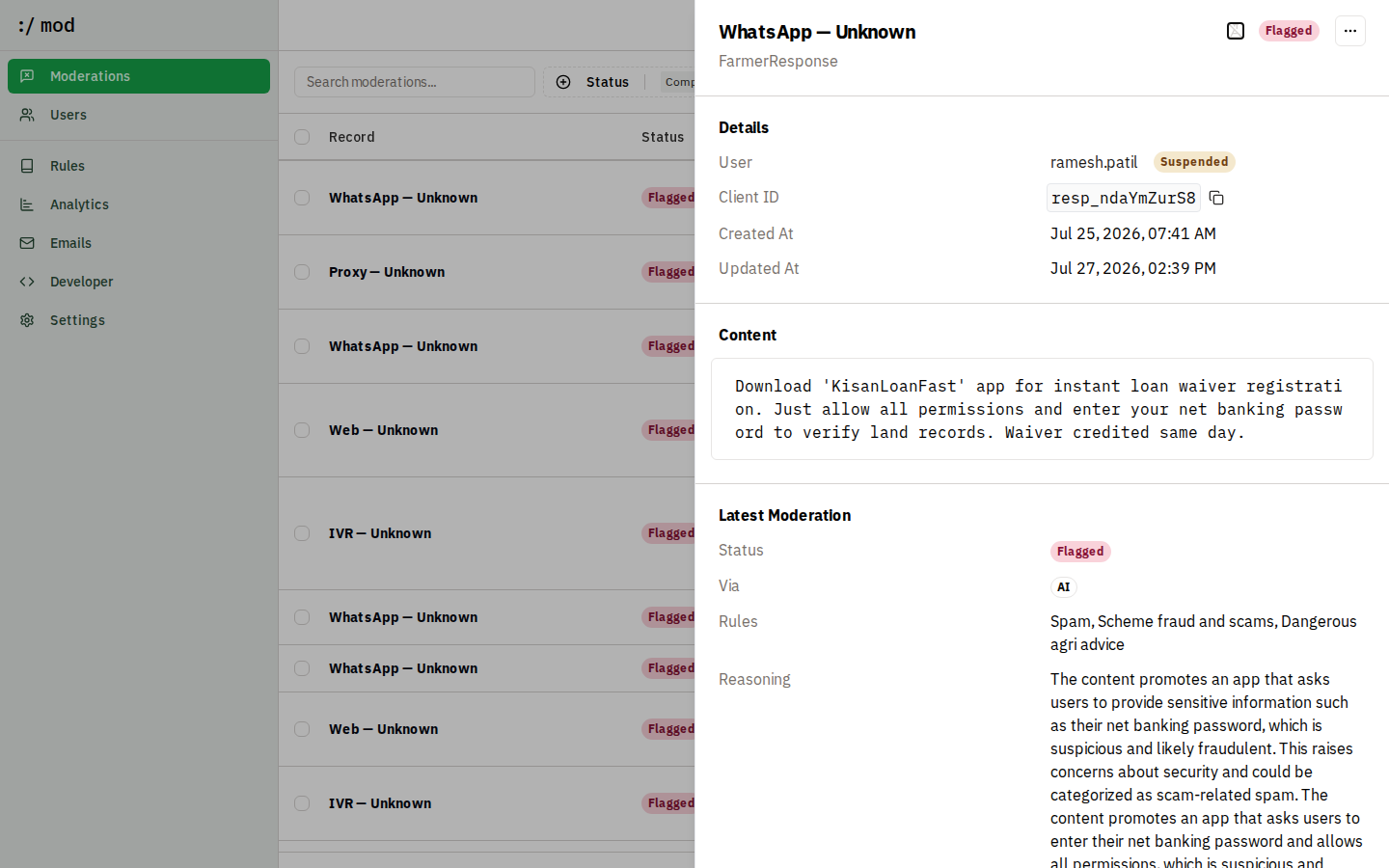
Every evaluation of a record produces a moderation with a status (Compliant or Flagged), the LLM's reasoning, the attributed rules, and how it happened (via: AI, Manual, Automation, or Inbound). The full history is kept per record; reviewers can override the AI with a manual moderation, and the audit trail shows exactly what was collected, filtered, and restored (the "methodology note" data of the Open Listening Block guardrails).
Quickstart
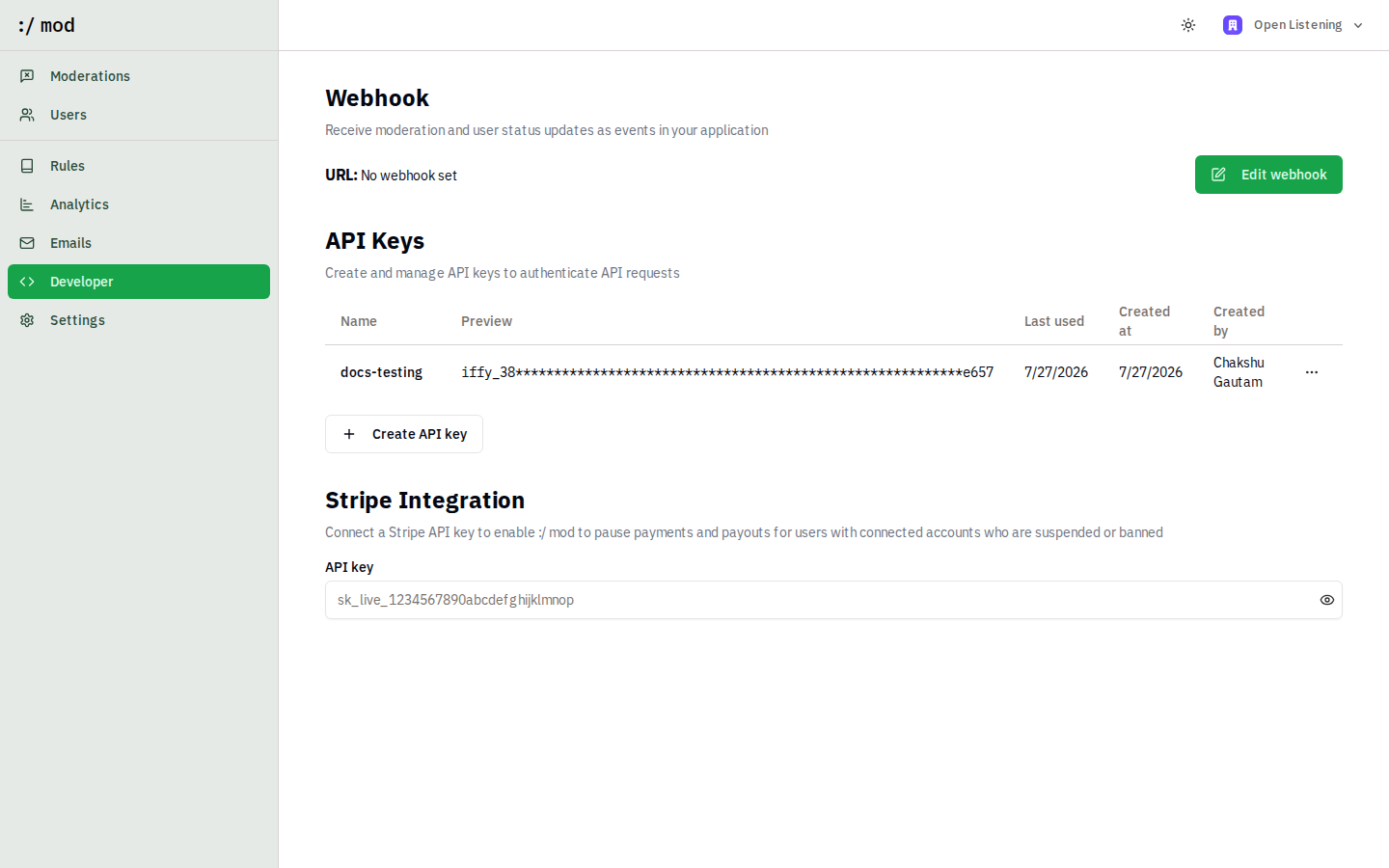
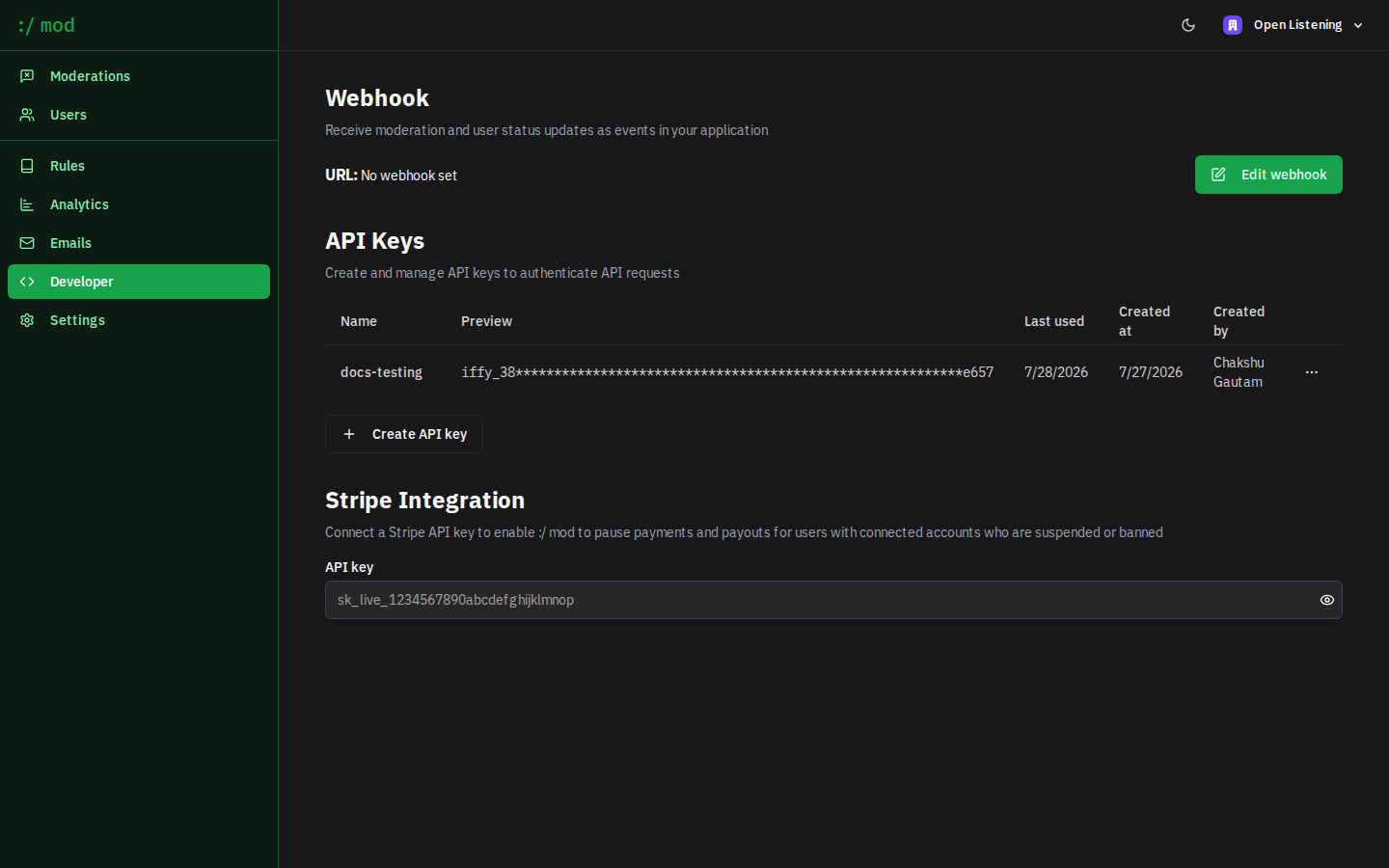
- Sign in to the dashboard and open Developer to create an API key.
- Moderate your first piece of content:
curl -s https://moderation.proto.theflywheel.in/api/v1/moderate \
  -H "Authorization: Bearer $MOD_API_KEY" \
  -H "Content-Type: application/json" \
  -d '{
    "clientId": "resp_001",
    "name": "WhatsApp — Nashik",
    "entity": "FarmerResponse",
    "content": "GOOD NEWS! Pay Rs 499 processing fee to release your PM-Kisan bonus."
  }'

# → { "status": "Flagged", "flagged": true, "categoryIds": ["rule_..."] }
API reference
All endpoints live under https://moderation.proto.theflywheel.in/api/v1 and authenticate with Authorization: Bearer <api key>. API keys are created per organization in Dashboard → Developer. Errors return { "error": { "message": "..." } } with status 400/401/404.
POST/api/v1/moderate
Synchronous moderation. Upserts the record (by clientId), runs every rule, and returns the verdict inline. Use when the caller needs the decision immediately, e.g. before accepting a submission.
// Request
{
  "clientId": "resp_001",          // your stable ID (upsert key)
  "clientUrl": "https://...",      // optional link back to your system
  "name": "WhatsApp — Nashik",     // display name in the dashboard
  "entity": "FarmerResponse",      // free-form entity type
  "content": "text...",            // or { "text": "...", "imageUrls": ["https://..."] }
  "redact": false,                 // optional: strip PII before storing (see PII redaction)
  "metadata": { ... },             // optional: language, channel, consent, district (see Context metadata)
  "user": {                        // optional author, enables user lifecycle
    "clientId": "farmer_123",
    "name": "Ramesh Patil",
    "protected": false             // protected users are never auto-actioned
  }
}

// Response 200
{
  "status": "Compliant" | "Flagged",
  "flagged": boolean,
  "categoryIds": string[],         // ids of the rules that flagged it
  "locator": "OLB-R3QP-98PJ",      // unique human-quotable reference
  "redactions": [{ "type": "aadhaar", "count": 1 }]   // present when redact was true
}POST/api/v1/ingest
Asynchronous moderation. Same request body as /moderate; returns { "message": "Success" } immediately and moderates in the background via the job queue. Outcomes arrive on webhooks. Use for high-volume pipelines.
DELETE/api/v1/ingest
Removes a record you previously sent (e.g. the source content was deleted).
curl -s -X DELETE https://moderation.proto.theflywheel.in/api/v1/ingest \
  -H "Authorization: Bearer $MOD_API_KEY" \
  -H "Content-Type: application/json" \
-d '{ "clientId": "resp_001" }'GET/api/v1/rules
Lists every rule in your organization's ruleset, including full strategies.
// Response 200
{
  "data": [
    {
      "id": "rule_...",
      "type": "Custom",                       // or "Preset"
      "name": "Scheme fraud and scams",
      "description": "Scams targeting farmers...",
      "presetId": null,
      "strategies": [
        { "type": "Prompt", "options": { "topic": "...", "prompt": "Allowed:\n...\nNot allowed:\n..." } }
      ],
      "createdAt": "...", "updatedAt": "..."
    }
  ]
}POST/api/v1/rules
Adds a category to your taxonomy. This is how an instance programs :/ mod from code. Two forms:
# Custom rule with an LLM prompt
curl -s -X POST https://moderation.proto.theflywheel.in/api/v1/rules \
  -H "Authorization: Bearer $MOD_API_KEY" \
  -H "Content-Type: application/json" \
  -d '{
    "name": "Off-topic",
    "description": "Content unrelated to the question asked",
    "strategies": [{
      "type": "Prompt",
      "options": {
        "topic": "Off-topic",
        "prompt": "Allowed:\n- Any feedback about farming, schemes, or rural services\n\nNot allowed:\n- Content entirely unrelated to agriculture or the survey question"
      }
    }]
  }'

# Or attach a shipped preset
curl -s -X POST https://moderation.proto.theflywheel.in/api/v1/rules \
  -H "Authorization: Bearer $MOD_API_KEY" \
  -H "Content-Type: application/json" \
  -d '{ "presetId": "<preset id from GET /api/v1/presets>" }'

# → 201 with the created rule (same shape as GET /api/v1/rules items)PATCH/api/v1/rules/:id
Updates a custom rule: name, description, and strategies are replaced with what you send (same body as create). Preset rules are read-only; delete and recreate as custom to take ownership of a preset's behavior.
DELETE/api/v1/rules/:id
Removes a rule from your taxonomy. Past moderations keep their attribution history.
GET/api/v1/presets
Lists the shipped presets — id, name, description, and their strategies — so you can pick presetIds for POST /api/v1/rules or copy a preset's prompt as the starting point for a custom rule.
Context metadata
The block's common response schema carries more than text: language, source channel, timestamp, initiative and question ID, consent, and optional context such as district or crop. Send all of it in an optional metadata object on /api/v1/moderate or /api/v1/ingest. It is stored with the record, returned in the response, shown on the record page, and never interpreted as content to moderate.
curl -s https://moderation.proto.theflywheel.in/api/v1/moderate \
  -H "Authorization: Bearer $MOD_API_KEY" \
  -H "Content-Type: application/json" \
  -d '{
    "clientId": "resp_1042",
    "name": "IVR — Yavatmal",
    "entity": "FarmerResponse",
    "content": "कापसाला बोंडअळी लागली आहे, वेळेवर सल्ला मिळाला तर बरे होईल.",
    "redact": true,
    "metadata": {
      "language": "mr",                      // omit and :/ mod detects it
      "channel": "ivr",                      // ivr | whatsapp | web | sms | app | proxy | other
      "initiativeId": "kharif-2026-listening",
      "questionId": "q3-crop-health",
      "consent": true,
      "consentLanguage": "mr",               // language the consent was given in
      "collectedAt": "2026-07-28T06:15:00Z", // when the farmer spoke, not when you sent it
      "district": "Yavatmal",
      "crop": "cotton",
      "proxySubmission": false,              // submitted on someone else's behalf
      "audioUrl": "https://.../response.wav",
      "transcript": true,                    // text came from speech-to-text
      "surveyorId": "EXT-4471"               // instance-specific keys are preserved
    }
  }'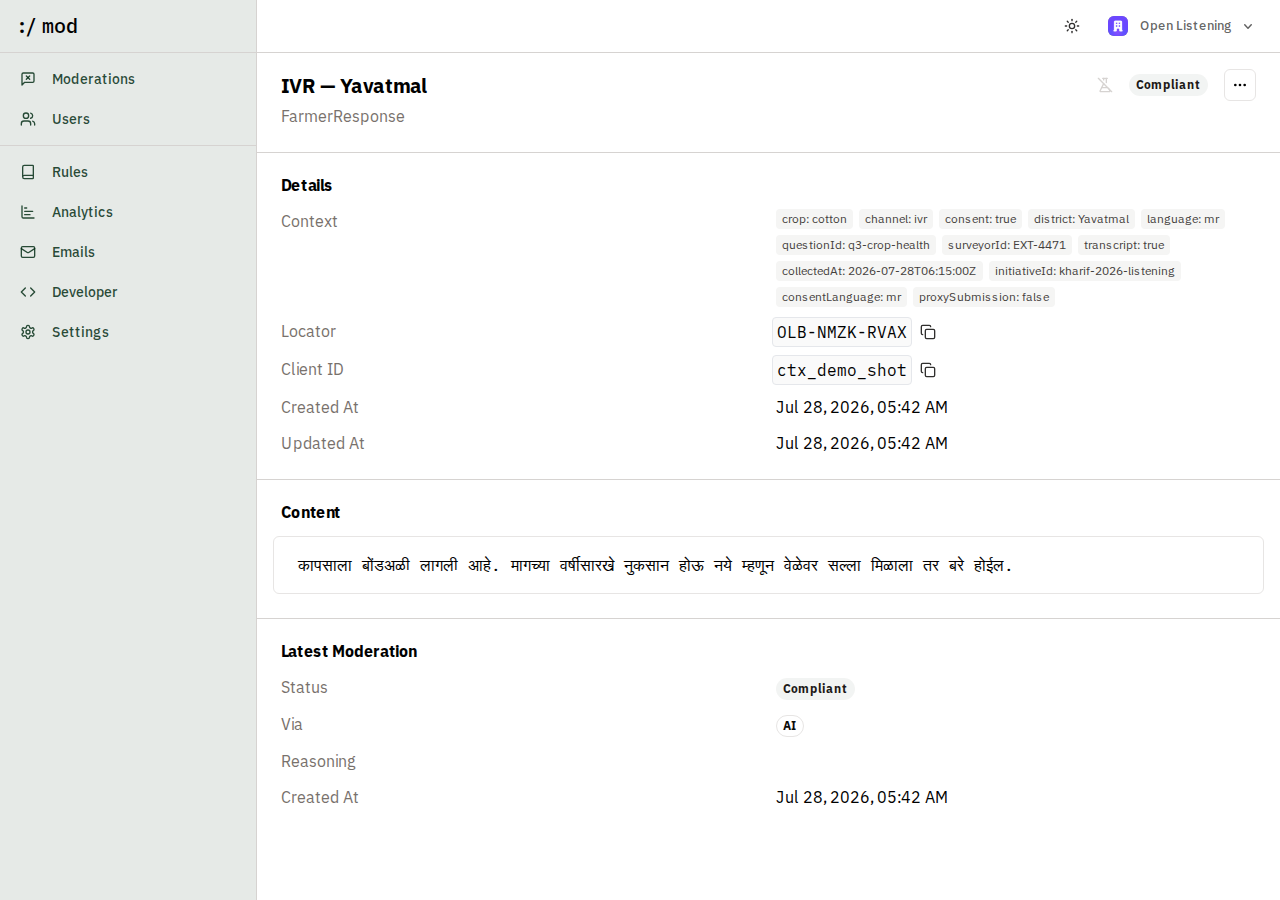
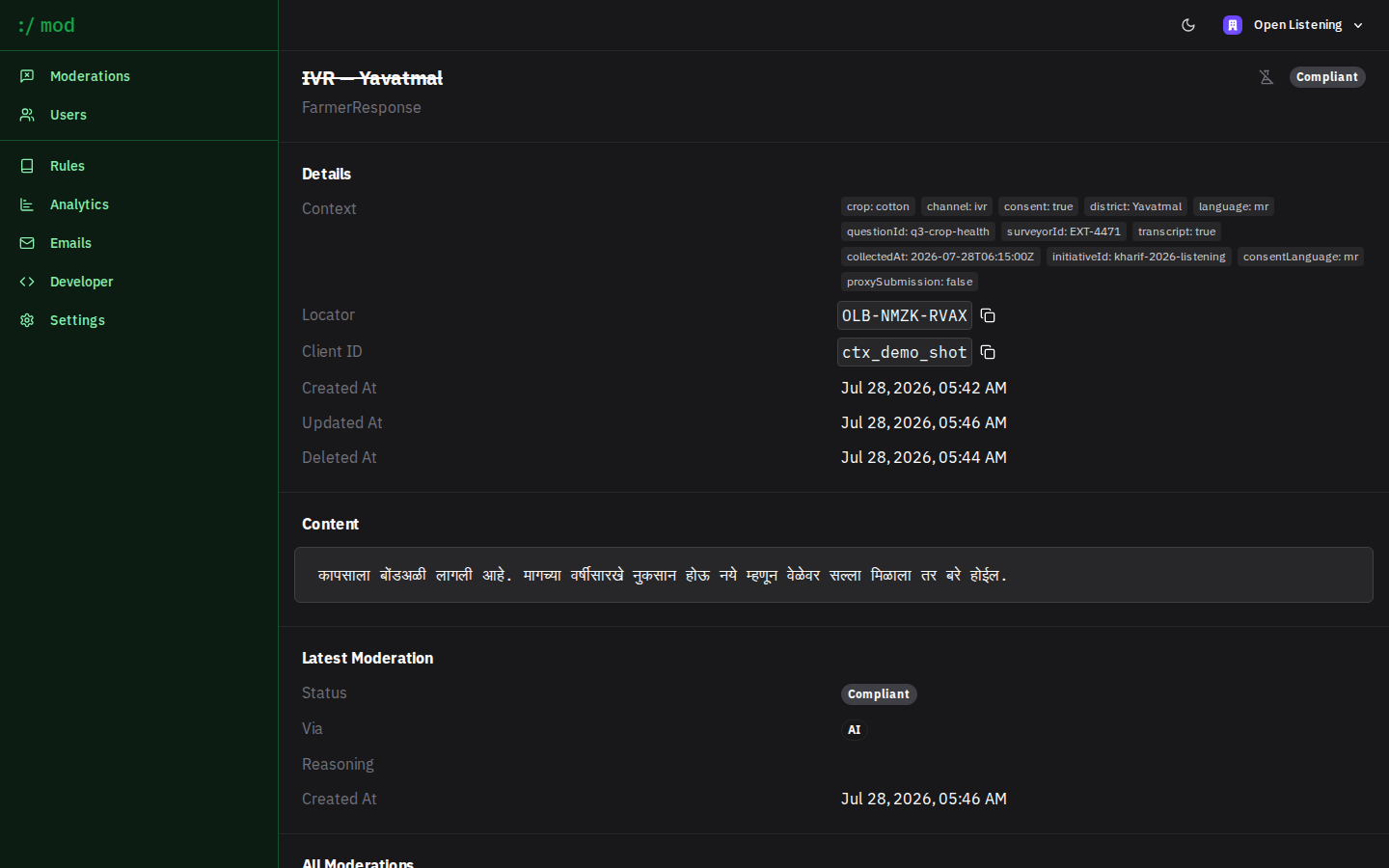
Known keys are validated; unknown keys pass through untouched, so an instance can carry its own fields without a schema change here. Nothing is mandatory, which matters because a channel that cannot collect a field should not be blocked from submitting at all.
Language is filled in when you omit it. :/ mod runs CPU-only n-gram detection (about 30ms, no LLM call) over the 12 supported languages and writes back language alongside "languageDetected": true so you can tell a detected value from a declared one. An instance that cannot detect language upstream still gets it on the record.
Two honest limits. Consent is carried, not enforced: :/ mod stores the flag and shows it to reviewers, but does not refuse records where consent is false. Deciding what to do about missing consent belongs to your ingestion layer, where the farmer actually is. Audio is referenced, not processed: audioUrl is metadata, and moderation runs on the text you send, so transcription happens upstream.
Defining your taxonomy
The Open Listening Block requires that how responses are organised is programmable, that each instance brings its own taxonomy, and that nothing is hard-wired. In :/ mod a taxonomy is a set of rules in your organization's ruleset. There is no fixed category list in the code, no enum to extend, and no deployment step: an instance defines its categories in the dashboard or over the API, and they take effect on the next moderation.
Anatomy of a rule
A rule has a name (what reviewers see on a flagged record), a description (why the category exists), and one or more strategies. A Prompt strategy carries a topic and a prompt written as two lists:
Allowed:
- Genuine questions about government schemes, subsidies, loans, or insurance
- Complaints about scheme delivery, corruption, or middlemen

Not allowed:
- Asking farmers to pay a fee or bribe to unlock a subsidy or loan waiver
- Requests for OTPs, bank details, or app installs to "verify" eligibility
- Impersonation of government officials, banks, or agricultural departments

Note: Only flag when there is a clear solicitation. Frustration about a
scheme is not fraud.
The Allowed list is doing more work than it looks. It is where you protect the speech your instance must not silence, and it is the difference between a category that filters noise and one that quietly suppresses complaints. Write the allowances before the prohibitions.
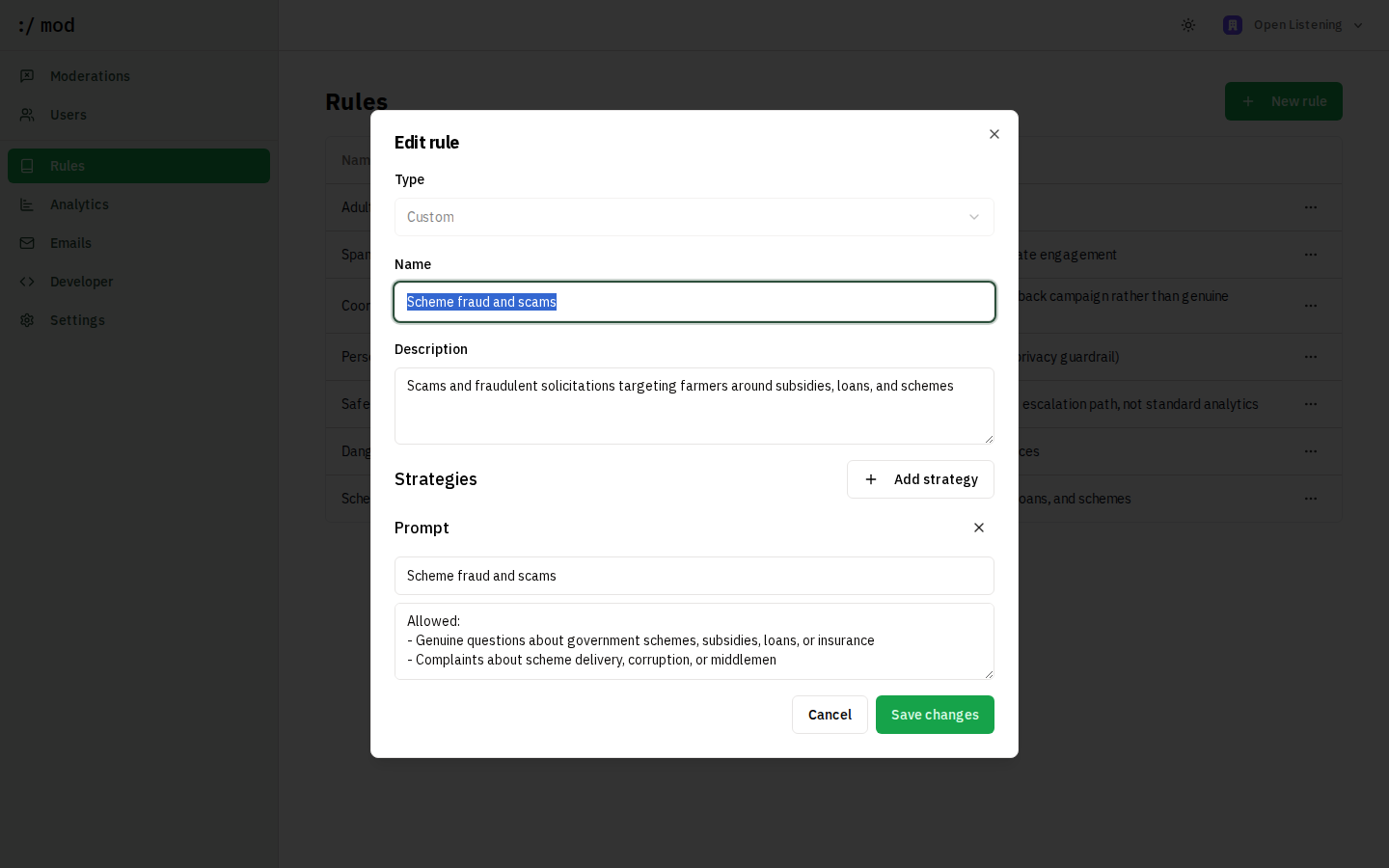
Authoring a category
In the dashboard: Rules → New rule → Custom, then add a Prompt or Blocklist strategy. Over the API, the same category is a single call, which is how an instance ships a taxonomy as code or migrates one between environments:
curl -s -X POST https://moderation.proto.theflywheel.in/api/v1/rules \
  -H "Authorization: Bearer $MOD_API_KEY" \
  -H "Content-Type: application/json" \
  -d '{
    "name": "Water and irrigation grievances",
    "description": "Responses about canal, borewell, or drip water supply failures",
    "strategies": [{
      "type": "Prompt",
      "options": { "topic": "Water and irrigation", "prompt": "Allowed:\n- ...\n\nNot allowed:\n- ..." }
    }]
  }'
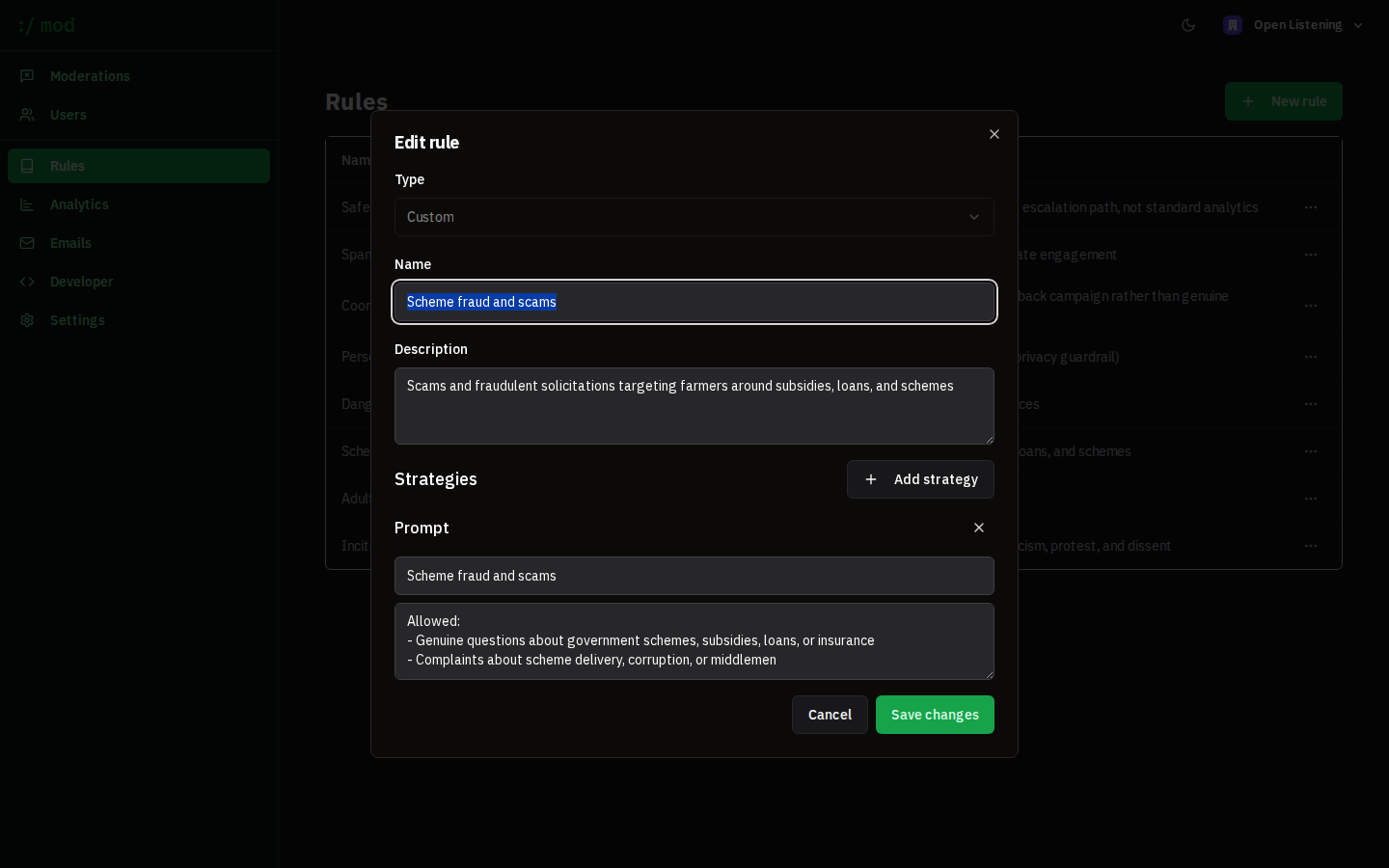
Read the current taxonomy back with GET /api/v1/rules: it returns every rule with its full prompt, so a taxonomy can be exported from one instance and posted into another. Categories you want as deployment defaults instead of runtime data live in presets/presets.ts and are seeded with npm run db:presets.
Testing before rollout
A category is a claim about judgement, so test it against examples before it touches farmer responses. The repository ships an eval harness (evals/, run with npm run eval:civic) that pushes a labelled dataset through the live pipeline and reports pass rates per category. Write your test items in both directions: content the category should catch, and, more importantly, content it must leave alone.
The shipped example is a 99-item civic-speech set covering satire, protest calls, constitutional action, academic criticism, and coded incitement. Building it caught a real defect: the safeguarding category was flagging hunger strikes as self-harm and gheraos as confinement, quarantining lawful protest. That was fixed by editing one prompt, with no code change and no redeploy.
Evolving the taxonomy
Rules can be edited, added, and deleted at any time; changes apply to the next moderation. Past moderations keep the rule attribution they were given, so history stays readable after the taxonomy moves on, and a record can be re-judged under current rules from its detail page. Start with a small starter taxonomy, watch what reviewers actually override in the dashboard, and let the categories follow the corrections.
Analysis & theme map
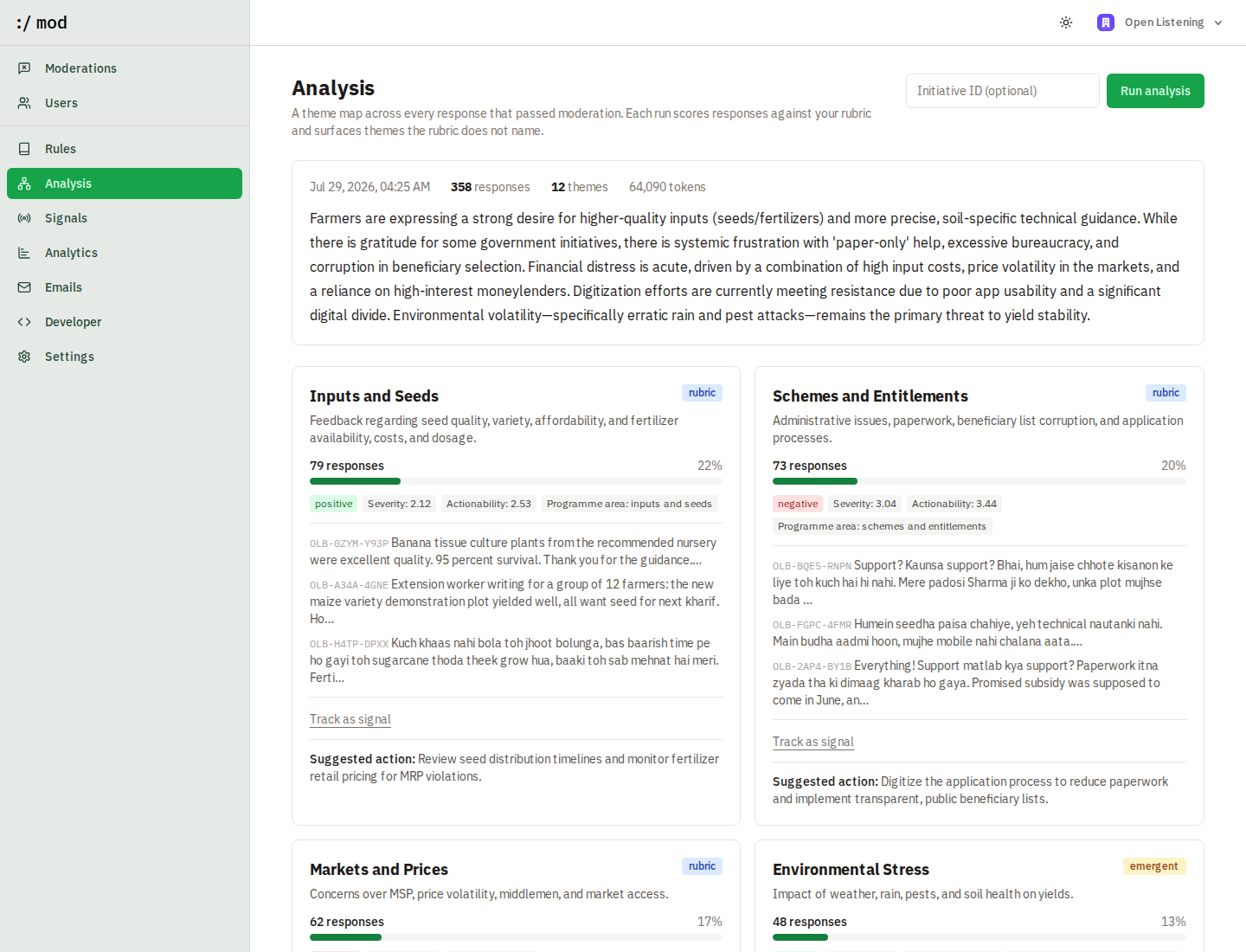
Moderation answers “should this response be here?”. Analysis answers “what are people actually saying?”. An agent reads every response that passed moderation, scores each one against a rubric your organization controls, and consolidates the result into a theme map with an executive summary, share of responses, sentiment, severity, example quotes, and a suggested action per theme.
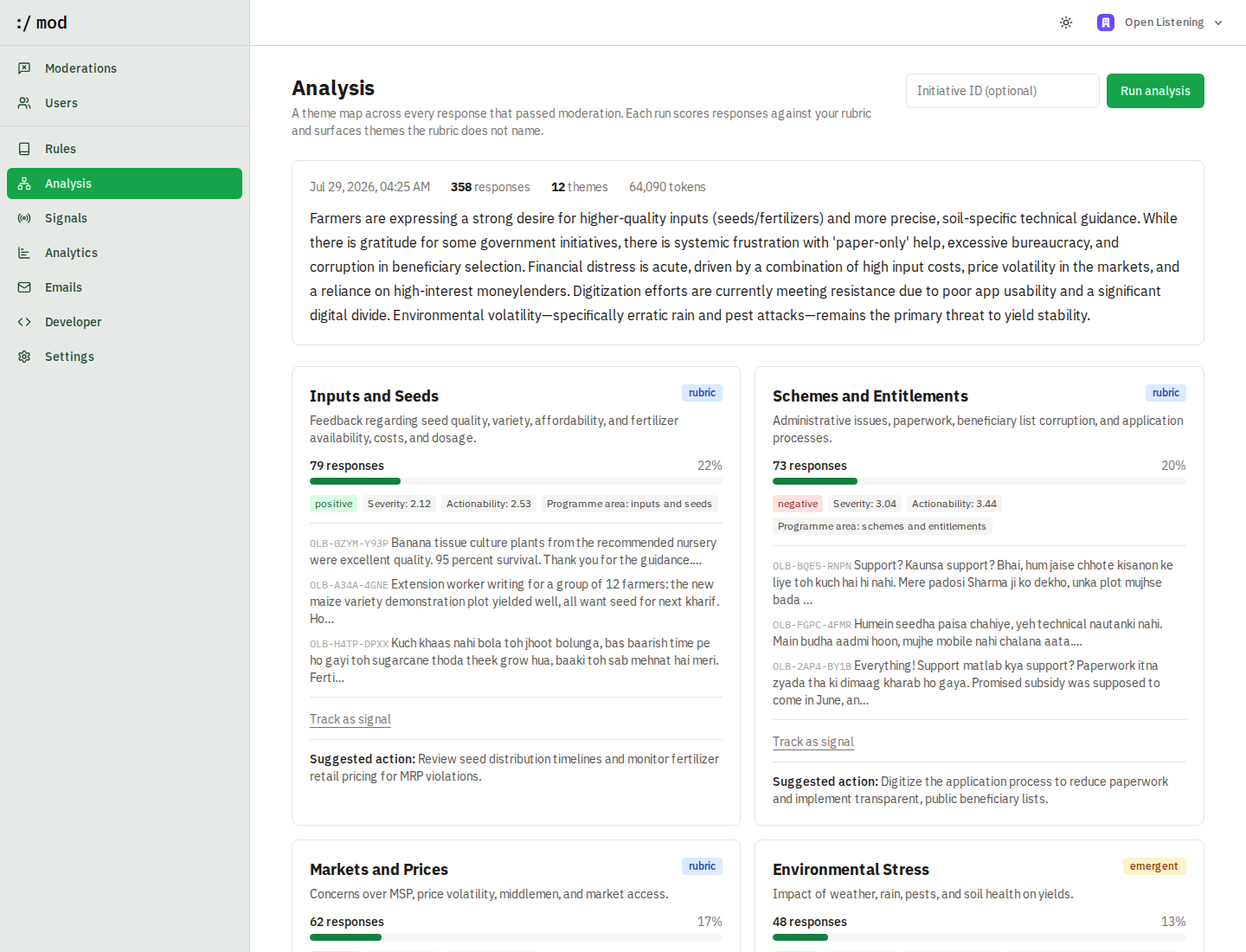
The method is deliberately hybrid:
- Rubric dimensions are fixed, so numbers stay comparable between rounds. The default rubric scores sentiment, severity, actionability, and programme area; edit it with
PUT /api/v1/analysis/rubric. - Emergent themes are what the agent finds that the rubric does not name. In the demo dataset these included “Institutional trust and capacity” and “Storage and processing” — a taxonomy built only from the rubric would have missed both.
Only compliant responses are analysed: keeping scams and coordinated campaigns out of the theme map is what the moderation guardrail is for. Each run is an immutable snapshot that keeps a copy of the rubric it used, so editing the rubric never rewrites history.
How a run works
A run is a four-stage pipeline. Nothing about it is a single “summarise everything” call: asking one model to read hundreds of responses at once produces a plausible essay rather than a countable taxonomy.
- Select. Every record for the organization with
moderationStatus = Compliant, not deleted, optionally filtered to oneinitiativeId. Flagged and deleted records never enter the pipeline. - Map. Responses are batched 20 at a time and sent to the LLM with the rubric inlined in the system prompt. For each response it returns a one-line summary, a score for every rubric dimension, and 1–3 candidate theme labels in the respondent's own terms rather than the rubric's wording. Six batches run concurrently.
- Reduce. Candidate labels are counted across all batches and the frequency list is sent back in a single call that consolidates them into 6–14 final themes. For each theme the model returns a name, description, a suggested action, whether it is rubric or emergent, and the list of aliases it absorbs. It also writes the executive summary at this point, when it can see the whole distribution.
- Assign and aggregate. Aliases are matched back to each response case-insensitively, so a response labelled “seed did not germinate” lands under the theme that claimed that alias. Then, per theme: scale dimensions are averaged, category dimensions take the most common value, share is the theme's record count over the run's total, and the first three matching records become the example quotes.
Two LLM stages, not one per response: a 63-response run in the demo dataset cost four batch calls plus one consolidation call, about 11.7k tokens end to end. The per-response scores and theme assignments are stored individually, which is what makes drill-down from a theme to the actual responses possible.
Cost, failure, limits
Cost scales with responses, not with themes: roughly ceil(n / 20) mapping calls plus one consolidation call per run. Wall-clock for a few hundred responses is minutes, which is why runs are asynchronous.
- A failed batch is skipped, not fatal. Its responses are absent from that run's counts rather than the run dying. If consolidation itself fails the run is marked Failed with the error, and the previous run remains the latest good snapshot.
- Unmatched responses are recorded, not forced. If a response's labels match no final theme, it is stored with an empty theme list rather than being pushed into the nearest one. Theme shares therefore need not sum to 100%, and a response can belong to more than one theme.
- Themes are per-run. Names are regenerated each time, so comparing runs is eyeball work today; the data model supports trend analysis but the dashboard does not show it yet.
- The agent reads the stored text. If redaction was on at ingest, it sees the redacted version, and it inherits whatever the moderation model got wrong about language or nuance.
POST/api/v1/analysis/runs
Starts a run and returns 202 with a run id immediately. The agent keeps working for a few minutes after the response; poll for the result rather than holding the connection open. Optional body: { "initiativeId": "kharif-2026-listening" } to analyse a single initiative.
GET/api/v1/analysis/runs
Lists runs. Add ?latest=true for the most recent completed run with its themes, or ?id=<runId> for a specific one.
GET/api/v1/analysis/rubric
PUT/api/v1/analysis/rubric
Read and replace the rubric dimensions. Each dimension is { key, label, type: "scale" | "category" | "boolean", description, scale?, options? }.
Runs can be triggered from Dashboard → Analysis, over the API, or on a schedule. This deployment runs one nightly at 02:30 via a systemd timer.
Survey ingestion
A survey deployment sends each answered question to /api/v1/ingest as its own record. One record per question, rather than per form, keeps moderation and analysis working on a single coherent answer, and lets questionId group responses across respondents.
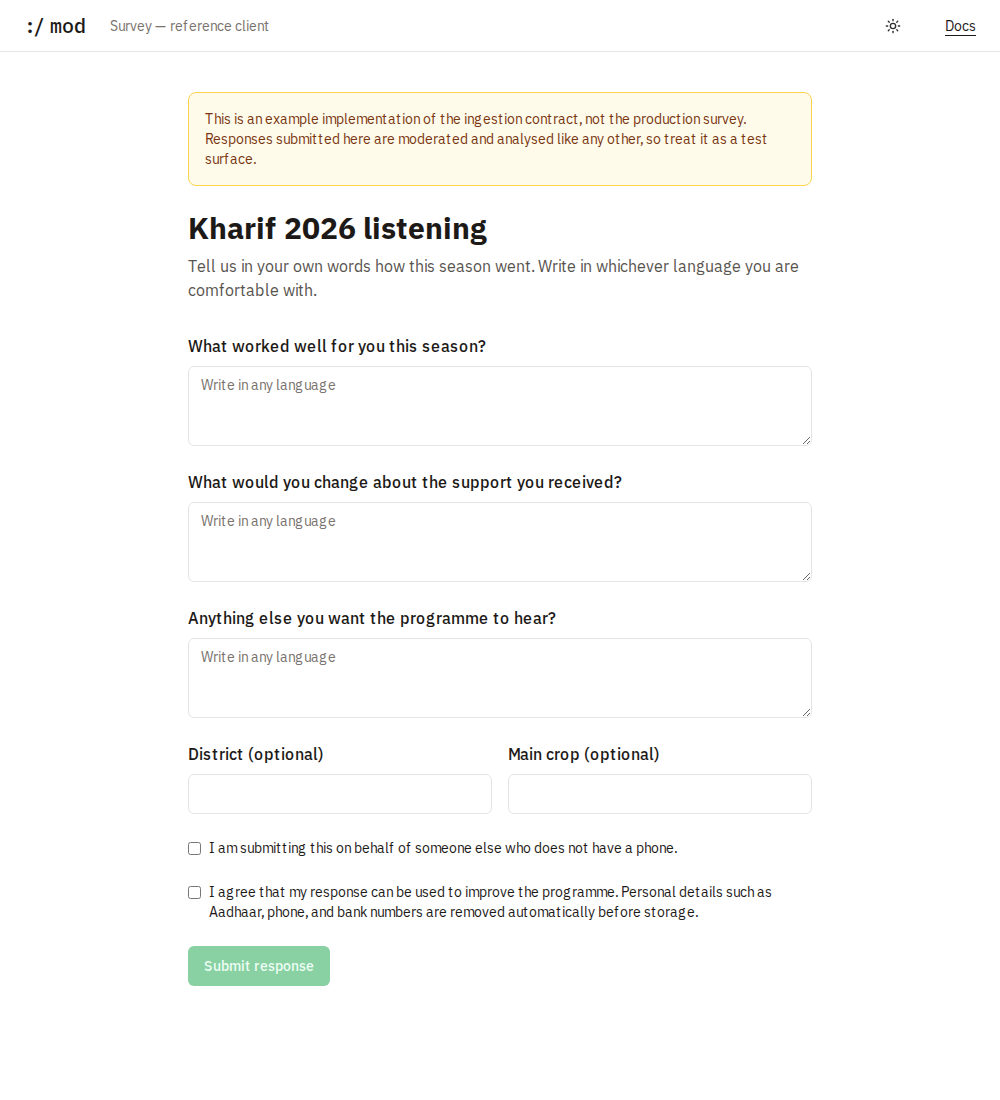
Three things the reference client demonstrates that matter for real deployments:
- The API key never reaches the browser. The form posts to its own server, which holds the key and calls :/ mod. Any survey app should do the same.
- Consent is enforced at the form, not here. :/ mod stores
metadata.consentand shows it to reviewers, but it will accept a record either way. Refusing to submit without consent belongs where the respondent actually is. - Redaction is on at submission (
redact: true), so identifiers are stripped before storage, and the respondent is told so in plain language next to the consent checkbox.
The reference client returns the record locator to the respondent as a reference number, which is what a farmer can quote when following up on a submission.
Ask: generative UI
The dashboard answers the questions someone anticipated. Dashboard → Ask answers the rest: put a question in plain language and the model calls the same metric tools the screens use, then the result is rendered as a chart or table rather than described in prose.
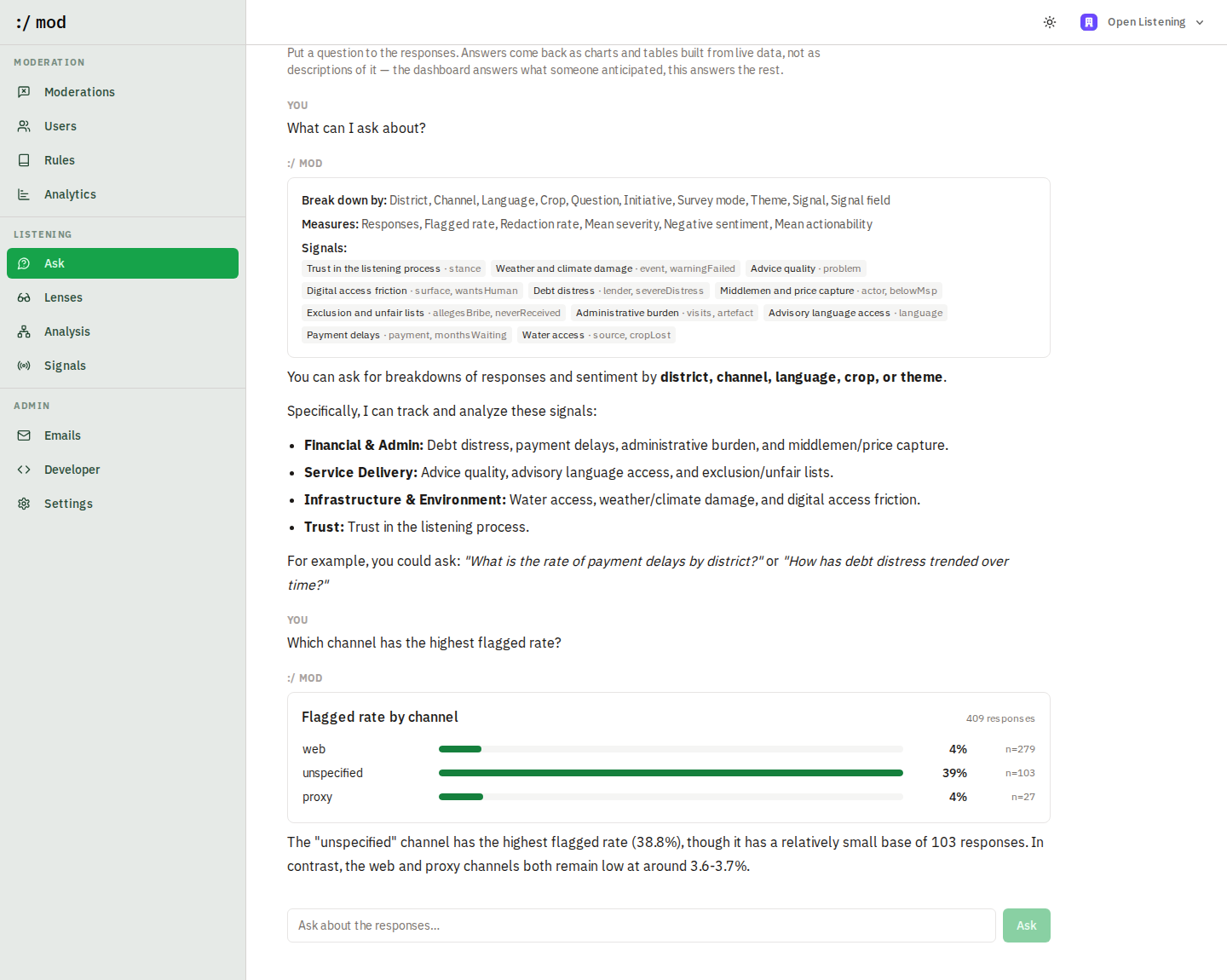

Five tools are available to it: listMetrics to discover what exists, queryLens for any breakdown and measure including signal-extracted fields, signalTrend for how a signal has moved across runs, runSql for what a breakdown cannot express, and calculate for arithmetic. Tool output is passed to a React component — bars, a trend, a table — so the model is not asked to read fifteen numbers back to you. Its job is the sentence underneath: what the shape means, where the outlier is, and whether a figure rests on too few responses to trust.
An answer is rendered in three parts, because they are three different things: a Working panel holding what the model intended and every call it made, the result of each successful call as a chart or table, and the conclusion below in prose. A query that failed appears as a numbered step with the error and its SQL one click away, rather than as text that reads like a finding — which is what happens when all three are given the same weight.
The system prompt forbids answering without calling a tool first, so a number on this screen always came from a query. runSql carries the same read-only constraints as the MCP. The same tools are exposed over MCP for use outside the browser, which is the difference between the two surfaces: Ask is for a programme owner in the dashboard, the MCP is for an operator in a terminal.
Conversations are kept
Every thread is saved as it is answered and listed under Conversations. Search covers what was asked and what was answered, so a half-remembered figure is findable by the word that was used rather than by the date it was said; the filters narrow to the threads that used SQL, tested a signal, or ended in one being saved.
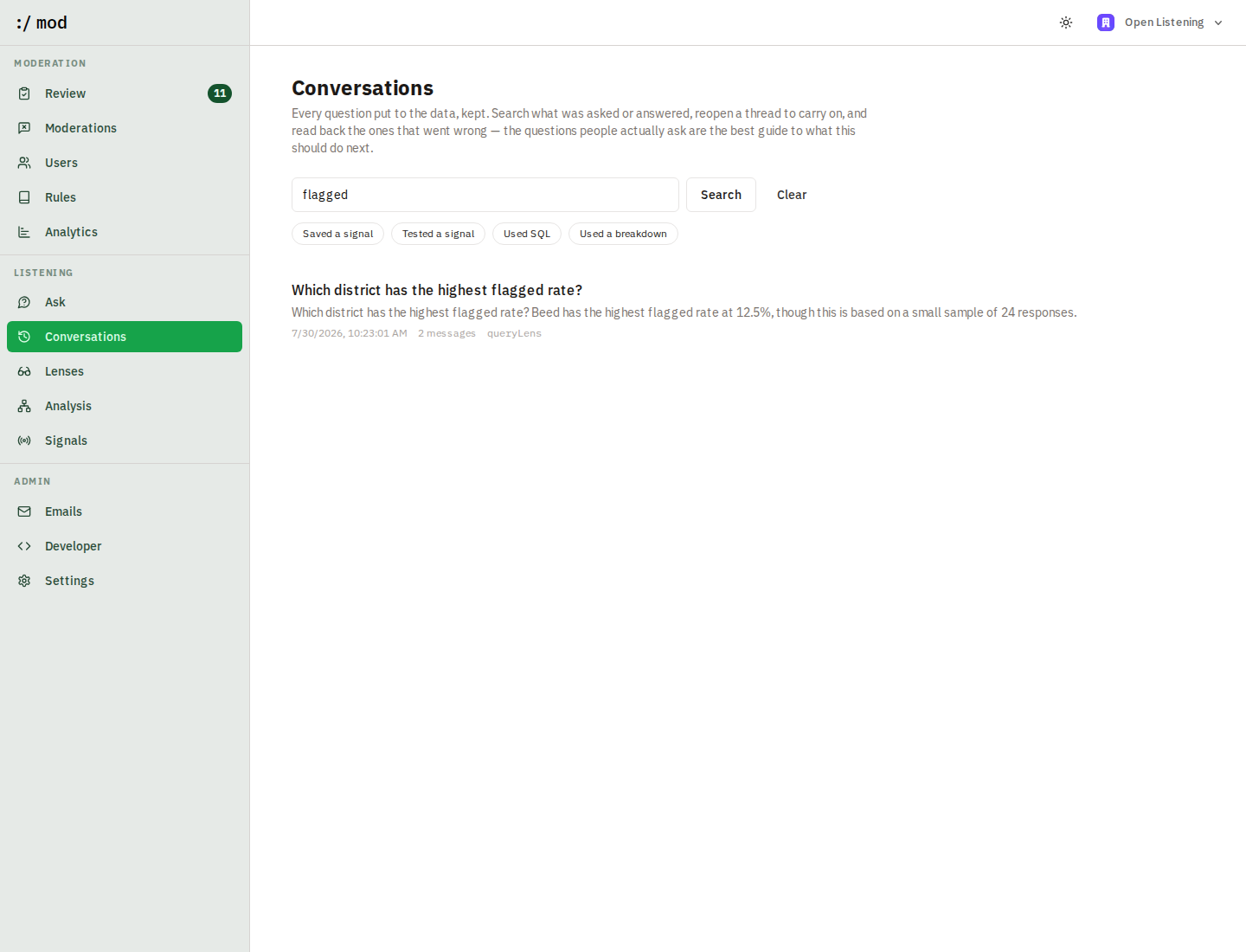

Reopening a conversation restores the evidence, not only the words: charts, tables and proposed schemas are stored exactly as they were rendered, so a resumed thread shows what it showed the first time and the next question continues in place. This is what makes a half-authored signal something you can come back to tomorrow.
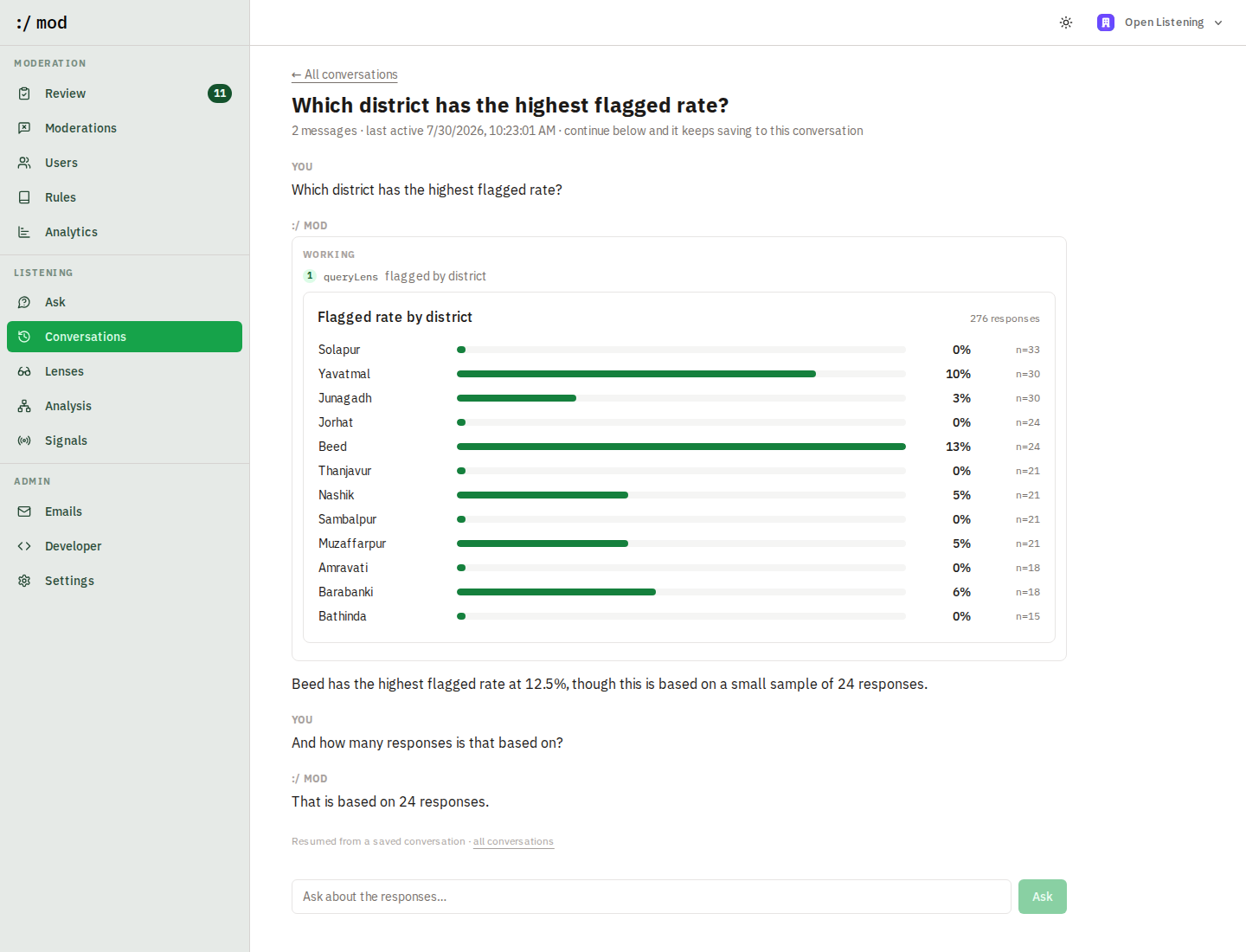

The reason to keep them is not only convenience. The questions people actually ask are the best available record of what this tool should do next, and reading back the threads that went wrong is how the prompts and the tools get better.
Dashboards: assembled by describing them
Analysis answers the question it was built to answer. A dashboard answers yours. Describe what belongs on one — “three KPIs across the top, responses by district as a pie beneath them” — and it is assembled; drag a title bar to move a widget, its corner to resize.
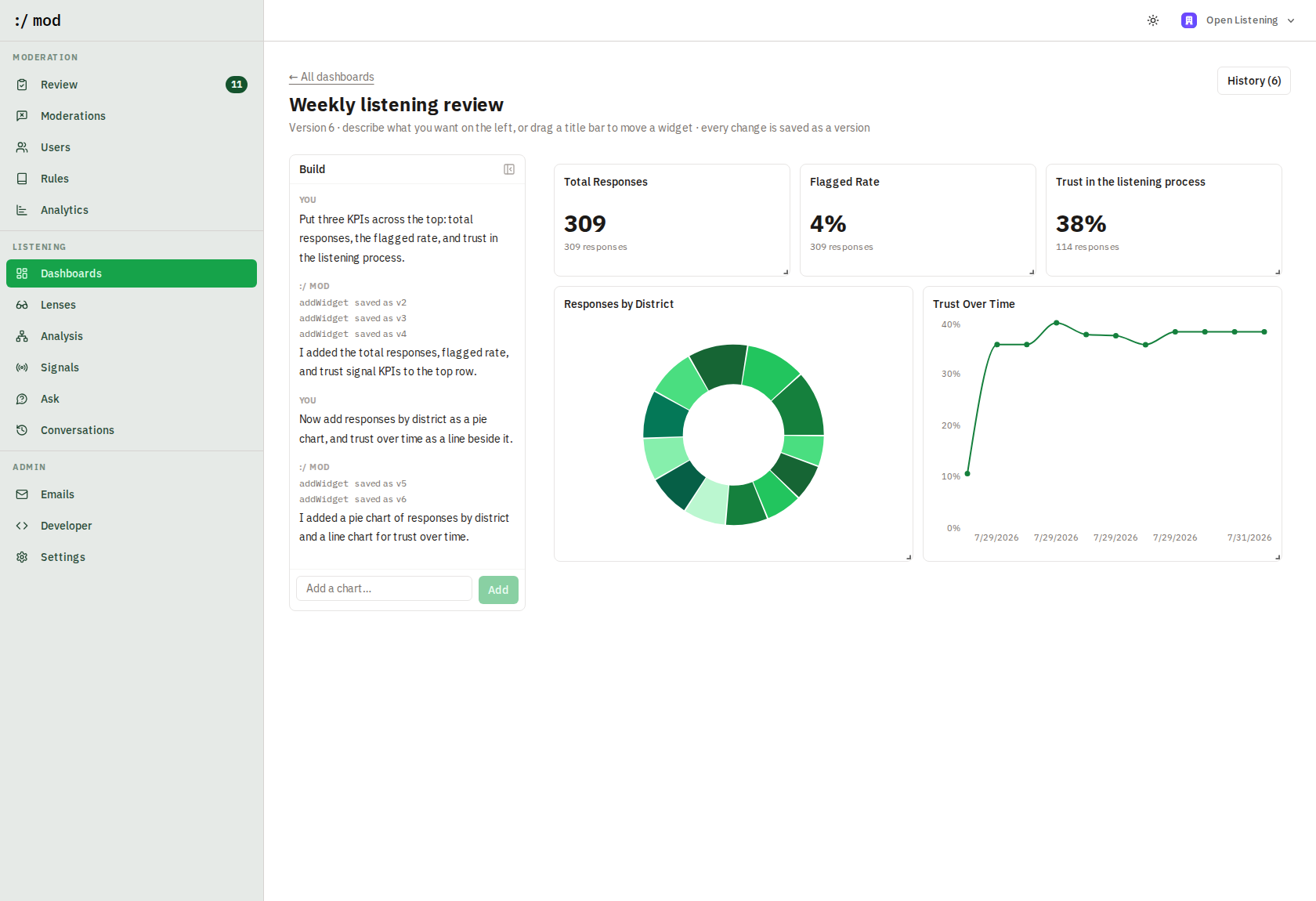

A dashboard here is configuration, not code. The model never writes a query or a component: it edits a closed JSON document through typed operations, and a fixed renderer draws it. A widget names a dimension and a measure from this deployment's own catalogue, so there are no data sources to register and nothing in a config that can point anywhere. An edit that names a field that does not exist is rejected before it renders, with the nearest real field suggested back.
Placement is described rather than computed — top, bottom, after a named widget, full or half or third width — and the server packs it. Grid coordinates are the one thing a language model reliably gets wrong, so the vocabulary it is given cannot express an overlap.
Ask for a filter and one appears at the top: a district, a channel, a language. What a dashboard filters by is configuration; what you have currently selected is not, so selections live in the URL and a filtered view is a link you can send rather than a state only your tab knows about.
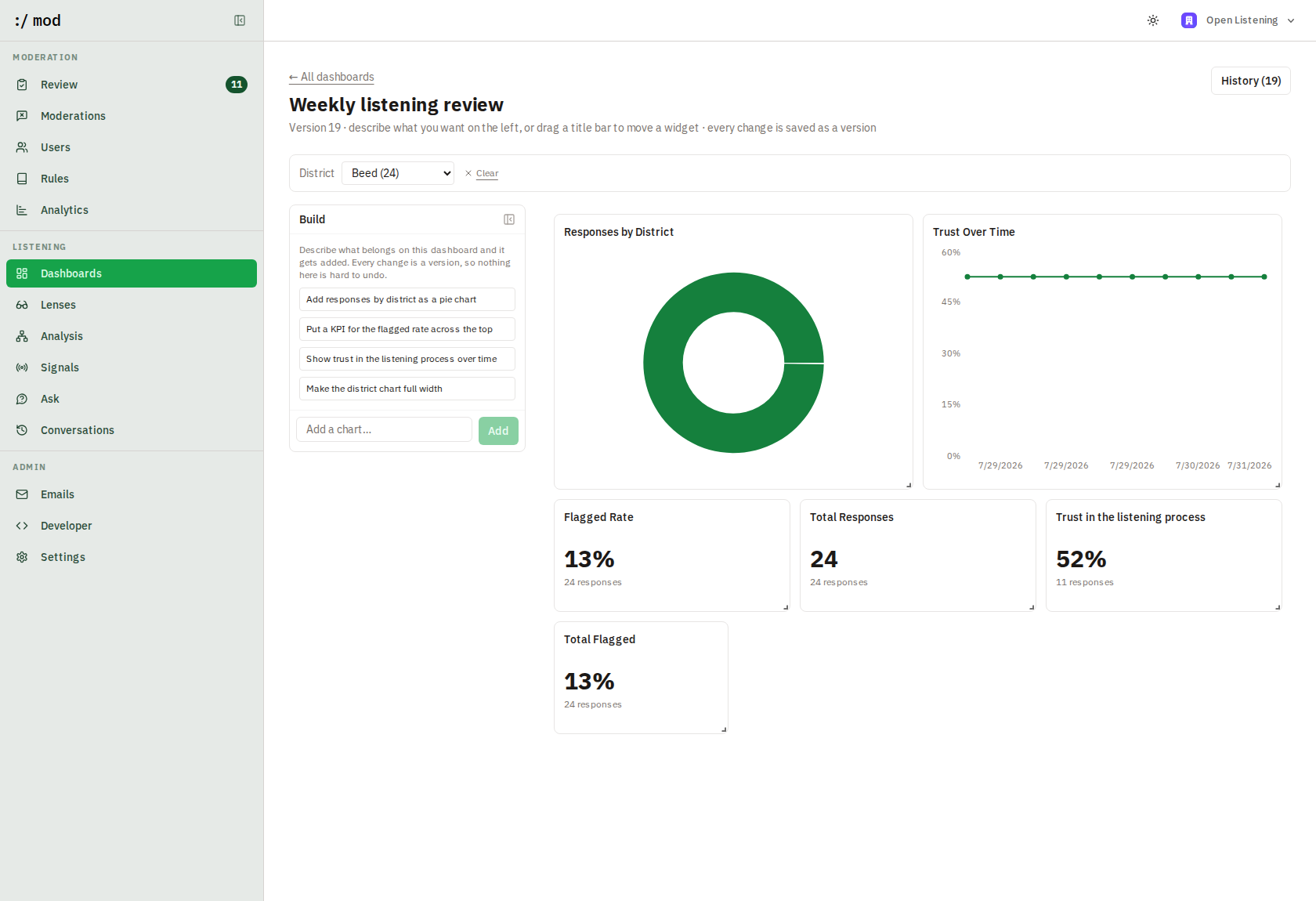

A signal is the awkward case. Its stored measurement is a share across a whole run, which cannot answer “trust, in Beed”, so under a filter it is recomputed from the per-response extractions instead. Showing the run-wide figure beside filtered ones would put two populations on one screen and invite a comparison that is not there.
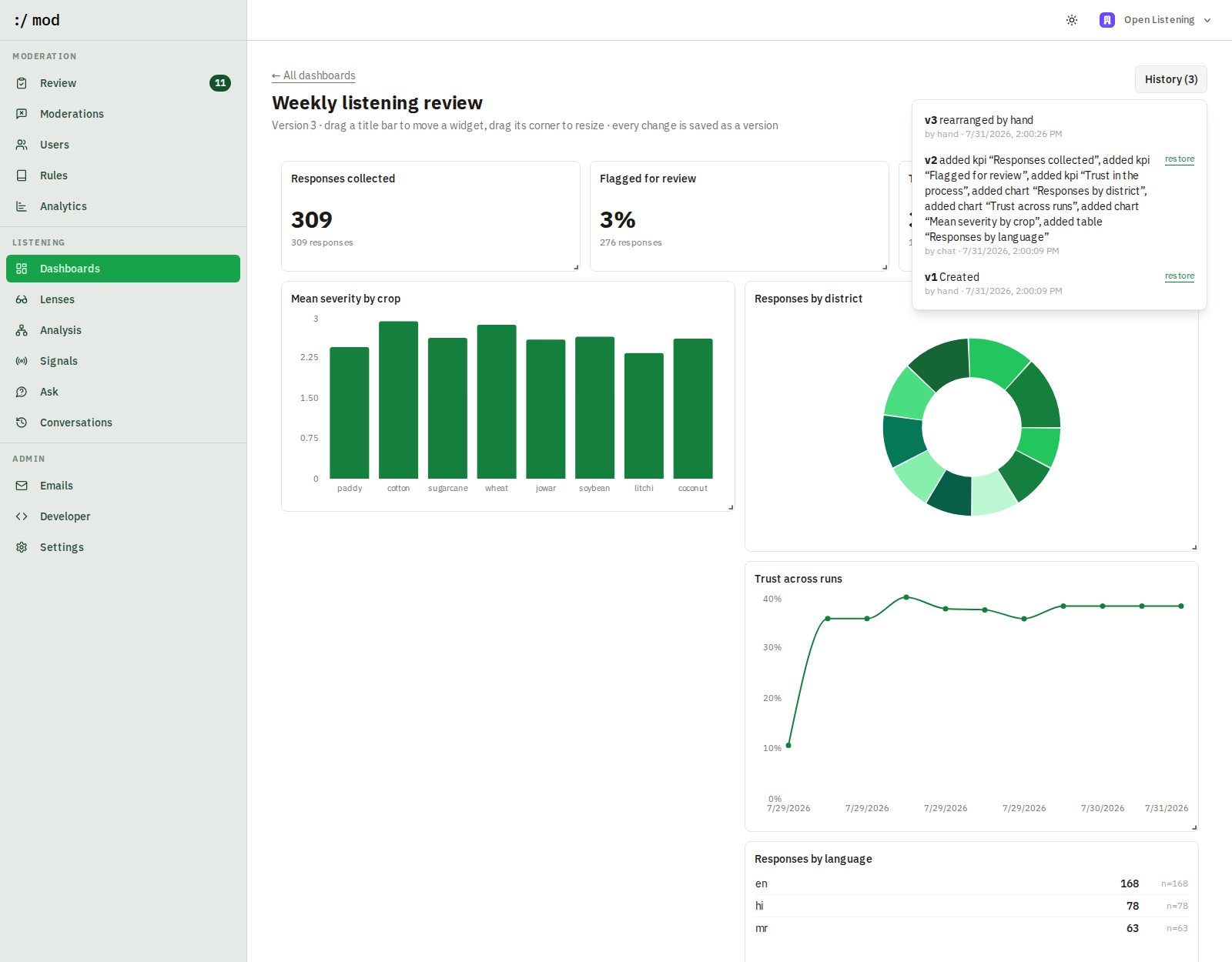

Every edit is a version, by either hand, and restoring one appends rather than rewinds — so a rollback can itself be rolled back. That is what makes letting a model rearrange a dashboard a reasonable thing to allow: a bad edit costs a click.
Lenses: response analytics
Three different questions get three different surfaces. Analytics counts moderation work. Analysis asks an LLM what people are saying. Lenses describes the responses themselves: who is answering, from where, on which channel, and how that changes what they say.
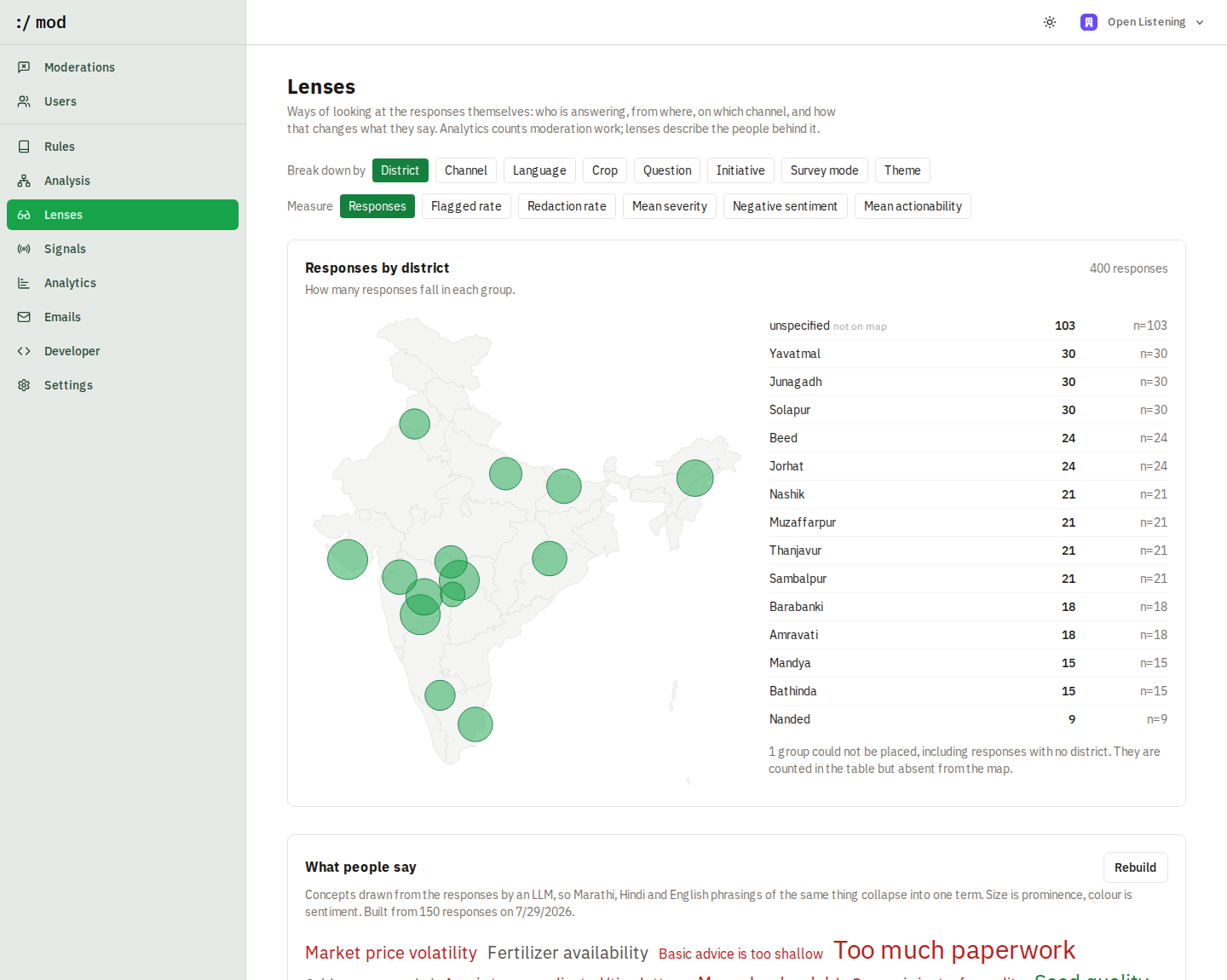
Break responses down by district, channel, language, crop, question, initiative, or survey mode, and measure response count, flagged rate, redaction rate, mean severity, negative sentiment, or mean actionability. Count, flagged and redaction rates read straight from the records, so they are always current; the three score-based measures come from the rubric applied in the latest completed analysis run.
No LLM call is involved, so a lens is instant and free. The trade is that a lens can only see what your ingestion sends — which is why the page also shows context coverage, the share of responses that actually carry each metadata field. A district breakdown over responses that mostly lack a district is measuring the sender, not the farmers.
The district breakdown renders as a map of India: a bubble at each district centroid, sized by the selected measure. It is a bubble map rather than a choropleth on purpose — colouring whole polygons implies coverage a sample does not have, while a bubble is honest about being a point estimate. Districts the gazetteer does not recognise, and responses with no district at all, stay in the table beside the map with a note rather than being silently dropped.
Signal is a breakdown too. Because a signal stores its output per response, not only as a total, you can ask where a tracked concern actually lands: payment delays by district, debt distress by channel, mean severity per signal. A signal you added this morning becomes a lens the moment the next run finishes.
Signal field goes one level further and groups by a value the signal extracted — digital friction by which surface failed, payment delays by which scheme, administrative burden by how many office visits were mentioned. This is what a typed output contract buys: the answer is queryable JSON rather than prose someone has to read.
Theme is a breakdown too, joined from the latest analysis run rather than metadata, so you can ask questions the theme map alone cannot answer: which themes carry the highest mean severity, which are most actionable, which attract negative sentiment. Themes appear as bars ordered by volume.
What people say is a word cloud built by the LLM rather than by counting words. Term frequency over mixed English, Hindi and Marathi mostly surfaces stopwords and transliteration variants; asking a model for the concepts instead collapses “पाणी”, “water” and “borewell supply” into one readable term. Size is prominence, colour is sentiment, and only compliant responses are sampled — a cloud that included scam text would advertise the scam's vocabulary. It is cached, so it is built on demand rather than on every page load.
The combinations that tend to earn their keep: flagged rate by channel (which intake route attracts scams), mean severity by district (where the hardest problems are), negative sentiment by question (which question people answer bitterly), and response count by language (whether a language group is under-represented in what you collected).
Signals: tracking over time
A run's themes are regenerated each time and named however the data reads that day, which makes two runs hard to compare. A signal is a theme you have decided to keep watching: every subsequent run measures it, so a share can be read against the previous round instead of on its own. Rules decide what may enter; signals track what keeps coming up.
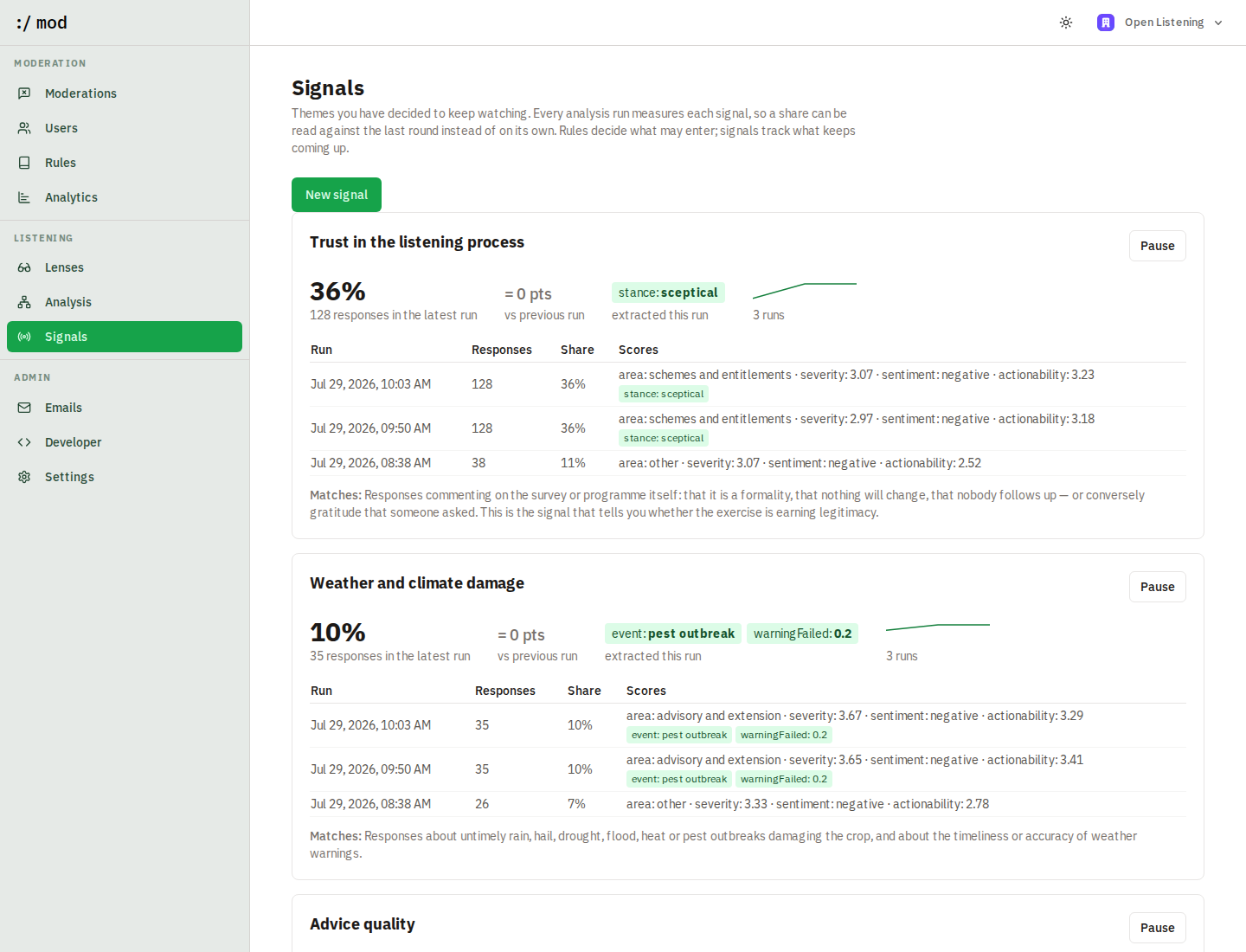
Concretely, a signal is f(text) → JSON | null: plain-language criteria plus a JSON Schema declaring what it returns. The minimum contract is { matched: boolean }, which is pure classification. Declaring more turns a signal into an extractor:
{
  "type": "object",
  "properties": {
    "matched":       { "type": "boolean", "description": "Response is about a delayed payment" },
    "scheme":        { "type": "string",  "description": "Which payment is delayed, in their words" },
    "monthsWaiting": { "type": "number",  "description": "Months they say they have waited, 0 if unstated" }
  },
  "required": ["matched", "scheme", "monthsWaiting"],
  "additionalProperties": false
}
Now the trend is not only “9% mention payment delays” but “median wait rose from 3 months to 6”. Numeric fields average across responses, enums and strings take their most common value, booleans become rates. Schemas are capped at eight properties and flat types only: nested objects would be unreadable in a table and are likelier to break constrained decoding on a self-hosted model.
The return type includes null on purpose. The implementation is an LLM, so “not scored” is a real outcome distinct from “did not match”, and the playground reports the two separately. Reading a null as a negative would quietly understate every signal.
Testing a signal before saving it
A signal is a function, and nobody should ship a function they have not watched run. New signal opens a playground: write the criteria and schema, run it against 25–100 real responses, and read the output as a flat table with one column per declared property, searchable and sortable. The save button only appears after a test has run.
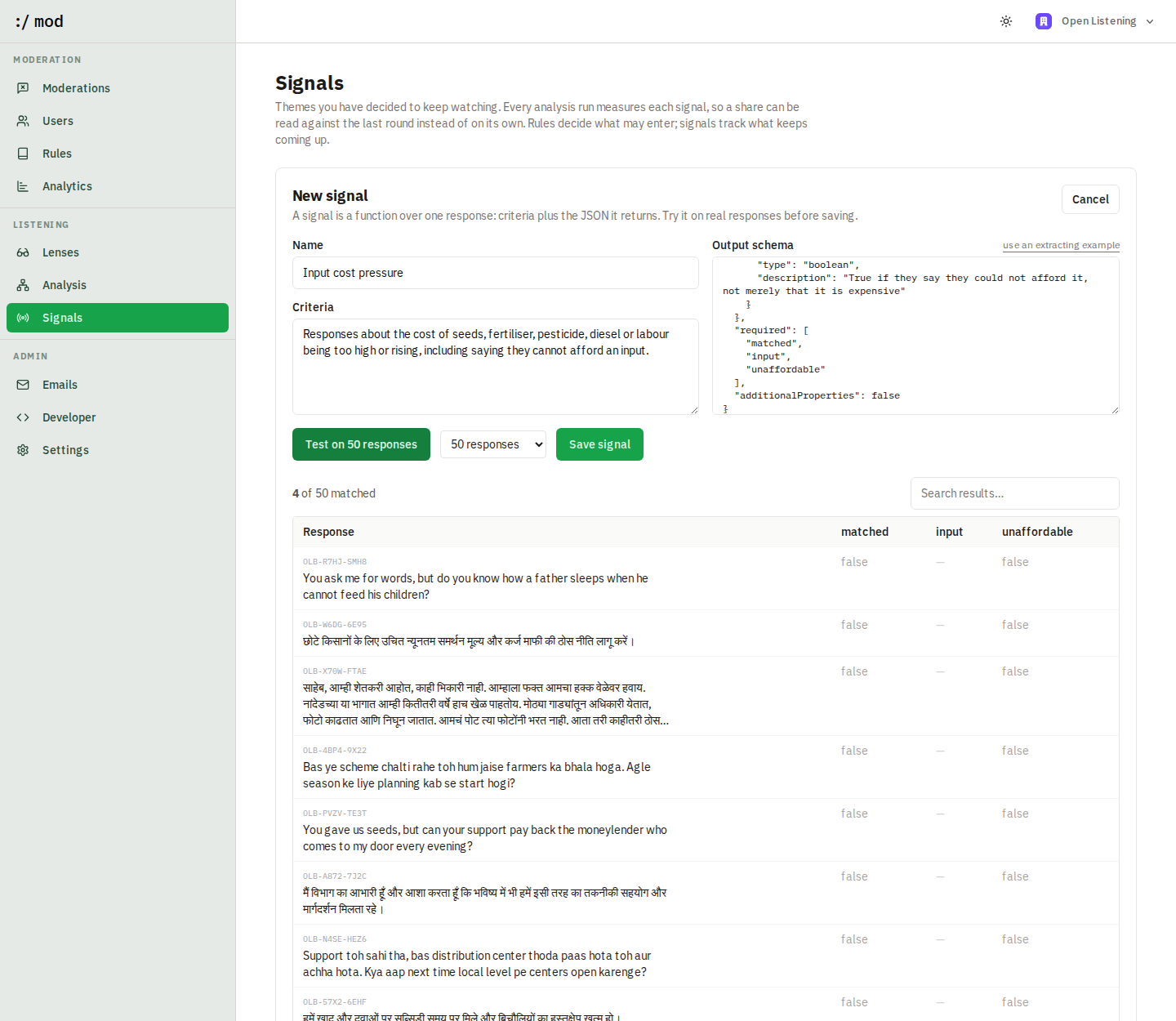

Create a signal this way, or press Track as signal on any theme in Analysis to promote it — the theme's description becomes the starting criteria, which you then sharpen and test.
Writing a signal from a hunch
Most signals begin as something half-formed that somebody keeps hearing, not as a definition. In Ask, describe the hunch in your own words and the assistant does the four steps you would otherwise do by hand: it reads real responses for grounding, drafts a name, criteria and output schema, runs the draft over a sample, and reports what it matched. Nothing is saved until you say so.
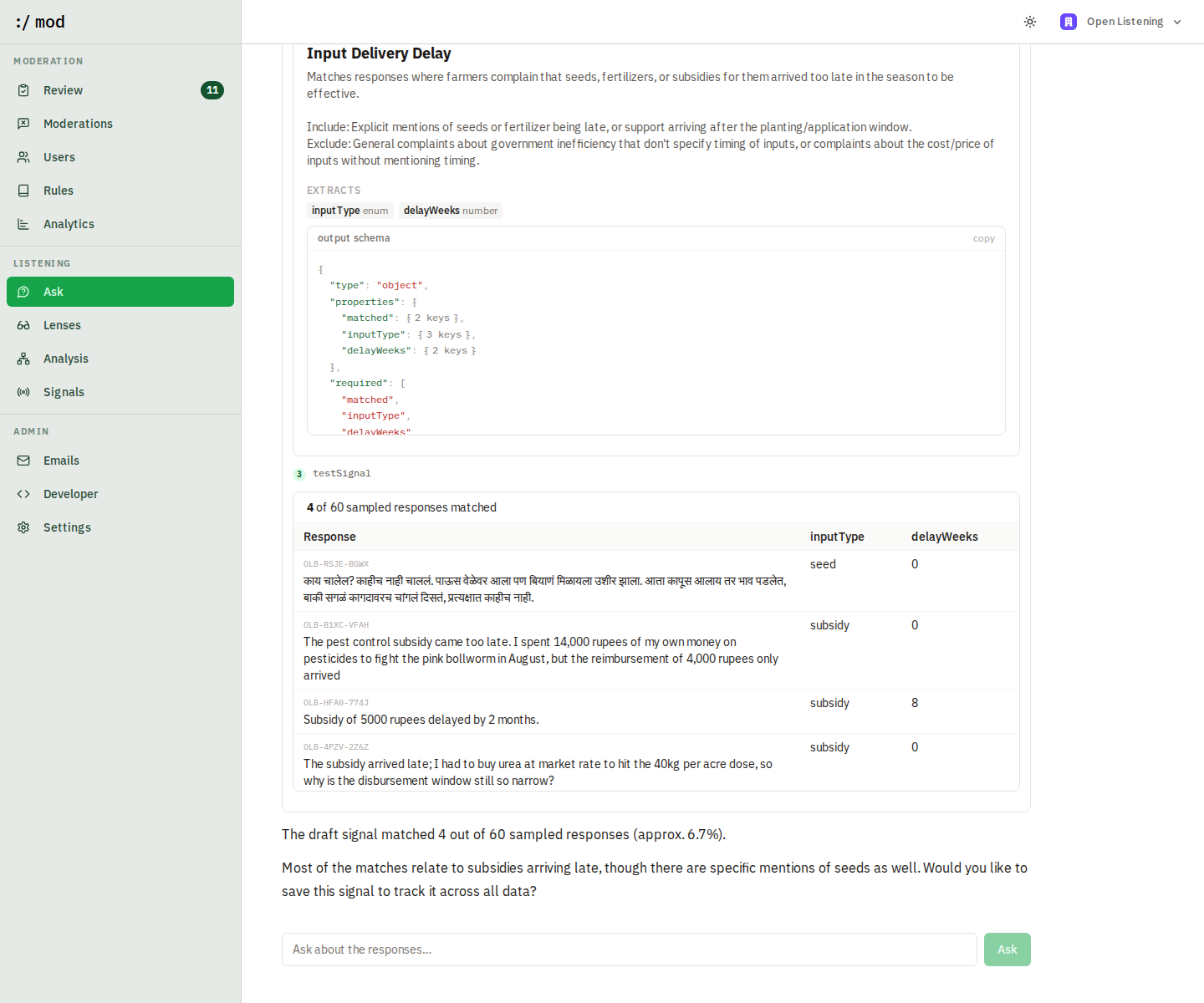

The draft's schema is validated against the same contract the playground enforces before it is shown, so “schema valid” is checked rather than claimed. A draft that matches nothing in the random sample is checked a second time against responses that discuss the subject, which separates a concern that is genuinely rare from criteria that are simply broken — an important distinction when a 4% theme can legitimately return zero from a sample of thirty.
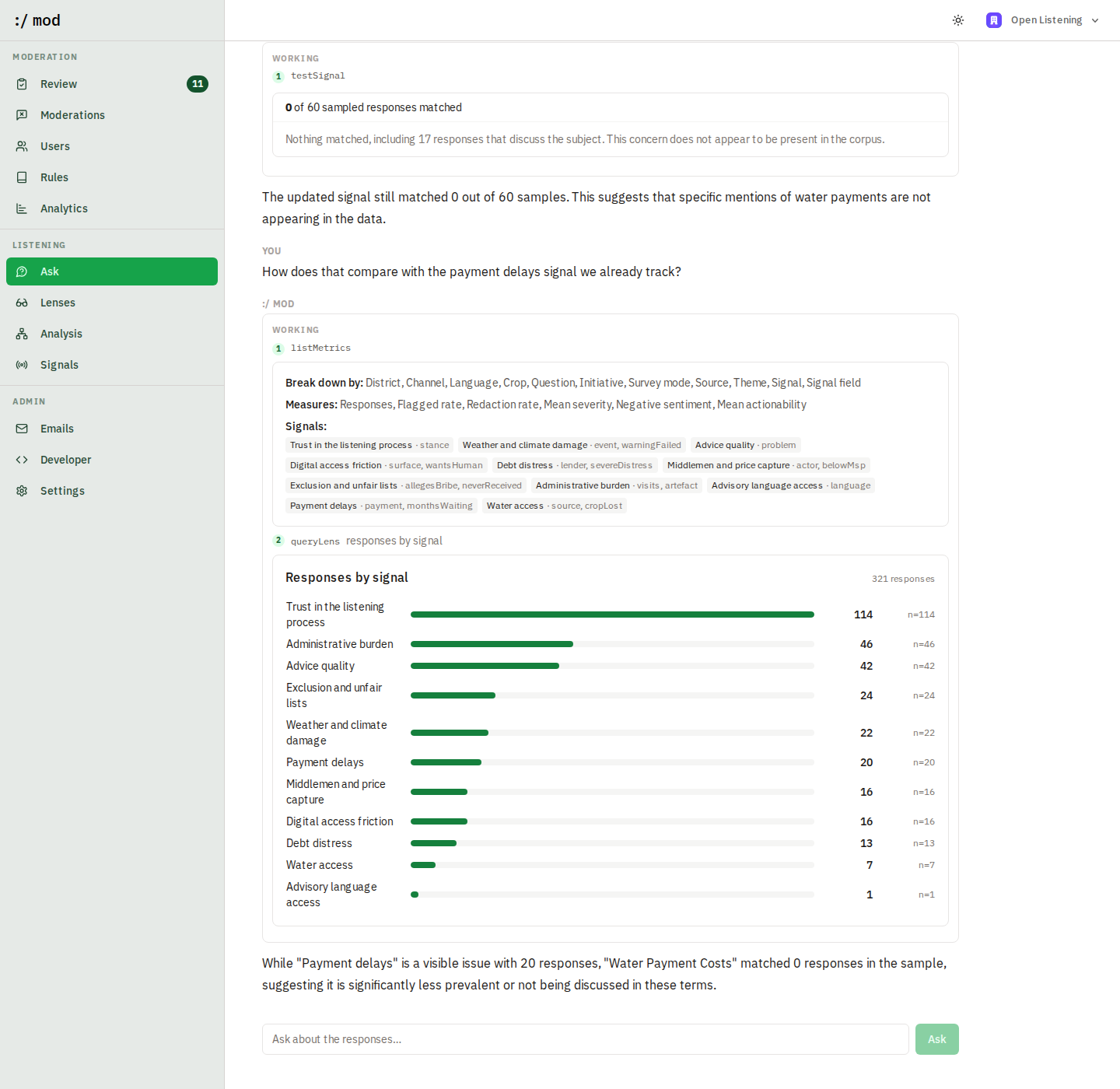
Nobody writes the right definition first time, so the draft is a conversation rather than a form. Ask for a field to be added, a boundary tightened, or a case excluded, and it redrafts and re-tests, carrying the fields already agreed rather than starting over. You can then ask how the new signal compares with one you already track, in the same thread.

Checking a share against the responses behind it
A signal reporting 38% is making a claim about 114 particular people, and a number nobody can open is a number taken on faith. The response count on each signal — and every run in its history — opens the responses that produced it, as a table with one column per declared property, flattened out of the JSON.
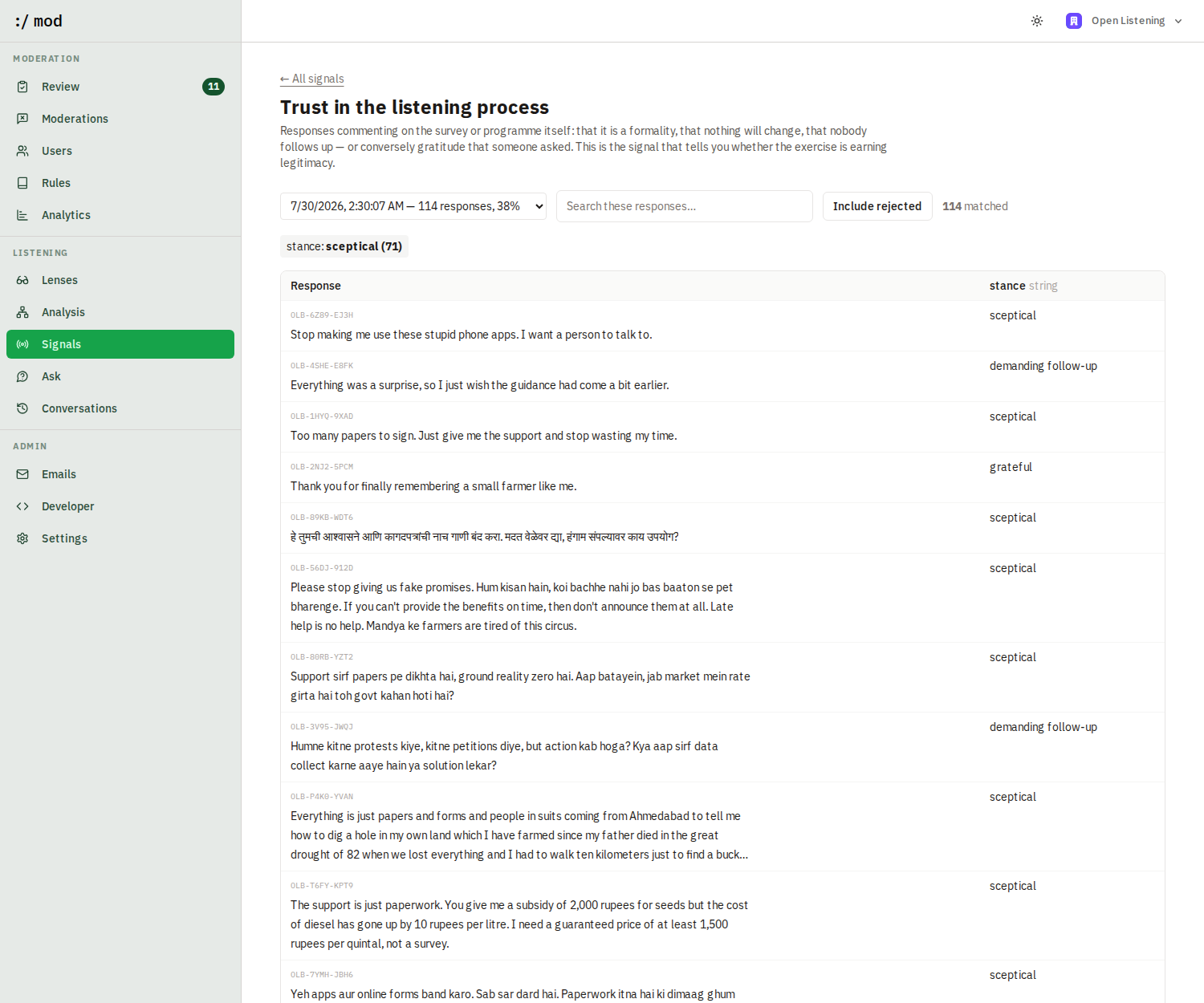

Search narrows what is shown without changing what was measured, and the roll-up chips above the table are computed from the rows on screen — the same mean, mode or rate the trend uses, so a figure in the sparkline can be checked against its own evidence rather than believed.
Include rejected is the other half of the job. A definition is wrong as often by what it misses as by what it catches, and the responses the signal turned down are where over-narrow criteria show up. They lead the table when switched on, because inspecting them is the only reason to ask.
How new themes reconcile with existing signals
Every run still discovers themes freely, so the obvious failure mode is the taxonomy forking: a theme called “Water access” sitting beside a signal called “Water access” as though they were different things. The consolidation stage is therefore shown the tracked signals and told to reuse a signal's exact name when a theme is the same thing, and to invent a new name only when it genuinely is something else. Themes that reconcile are linked to the signal and shown as tracked; the rest are offered for promotion.
Measurement happens inside the pass that already scores the rubric, so tracking a signal costs no extra LLM calls. A signal measures 0% for a run where nobody raised it, which is a finding rather than a gap — pause a signal to stop measuring it without losing its history.
GET/api/v1/signals
Lists signals. Add ?series=true for every signal with its full measurement series, which is the shape to feed an external trend chart.
POST/api/v1/signals
{ "name": "Water access", "definition": "Responses about canal, borewell or drip supply failing" }
PATCH/api/v1/signals/:id
DELETE/api/v1/signals/:id
Edit the name, description, or definition, or set active: false to pause measurement. Deleting a signal removes its measurement history; pausing keeps it.
Metrics MCP
The dashboard answers the questions someone anticipated. A stdio MCP server exposes the same metrics as tools, so the rest can be asked in conversation: list_metrics to learn what exists, query_lens to break responses down by any dimension and measure, run_sql for what the lens cannot express, calculate for the arithmetic, and save_derived_measure to turn a good question into a reusable one.
// a derived measure is JSON, not code
{
  "name": "Delay burden",
  "expression": "months * share",
  "inputs": {
    "months": "signal:<signalId>:monthsWaiting",
    "share":  "responses"
  },
  "format": "number"
}
Two things are deliberately narrow. run_sql accepts a single SELECT or WITH, rejects write keywords, runs inside a read-only transaction with a 15 second timeout, and caps results at 200 rows. calculate never evaluates a string: the expression is tokenised and walked by a small parser that knows numbers, arithmetic, brackets and the inputs you passed, so an unrecognised identifier is an error rather than a lookup.
The server lives in mcp/server.ts and is registered in .mcp.json, so a session opened in the repository picks it up without further setup.
Requirements mapping
How :/ mod maps to the Open Listening Block concept note. :/ mod is one component of the block, the spam-and-manipulation guardrail, not the block itself; the table is explicit about what it does not cover.
| Requirement | Status | How |
|---|---|---|
| Programmable taxonomy of categories | Covered | Rules are per-organization data, editable in the dashboard or over /api/v1/rules. No category list in code. |
| Taxonomy of themes, issues, initiatives | Covered | The analysis agent aggregates compliant responses into a theme map: rubric dimensions you control plus emergent themes, with per-theme shares, sentiment, examples, and suggested actions. |
| Spam and manipulation filtering | Covered | Spam and coordinated-campaign categories, evaluated per record by an LLM. |
| Rate limits and duplicate checks | Not covered | Per-record judging cannot see repetition across records. Needs an embedding-similarity strategy or upstream handling. |
| Quarantine, not delete | Covered | Flagged records are held for review; reviewers restore or confirm. Nothing is auto-deleted. |
| Reviewers restore genuine responses | Covered | Manual moderation overrides the AI decision and is recorded with its author. |
| Safeguarding and escalation path | Covered | Safeguarding category routes distress, abuse reports, and threats to human reviewers. |
| Identifiers removed at entry | Covered | redact:true strips eight identifier types before the record is written, including native-script numerals. |
| Consent captured with the response | Partial | metadata.consent and consentLanguage are stored and shown to reviewers, but :/ mod does not refuse records lacking consent. |
| Raw data encrypted at rest | Partial | API keys and appeal tokens are field-encrypted; record text is stored in plaintext Postgres. |
| Access limited and logged | Partial | Access is organization-scoped via auth; moderation decisions are logged, content reads are not. |
| Multilingual listening | Partial | Rules judge native-script content directly, and language is auto-detected across the 12 supported languages; audio and the other 10 scheduled languages are out of scope here. |
| Transcription and translation | Not covered | Speech-to-text happens upstream; :/ mod accepts text and images, and metadata.audioUrl links back to the source audio. |
| Fast output | Covered | About 1 second per response through a 7-rule taxonomy, moderated asynchronously via the job queue. |
| Common ingestion contract | Covered | The block's response schema (language, channel, initiative and question ID, consent, timestamp, district, crop) is accepted directly in metadata; unknown keys pass through. |
| Channel-agnostic | Covered | metadata.channel records IVR, WhatsApp, web, SMS, app, or proxy; proxySubmission marks responses given on someone else's behalf. |
| Methodology note data | Covered | Every decision stores its rule attribution and reasoning, giving an auditable record of what was filtered and restored. |
Dashboard guide
Reviewing moderations
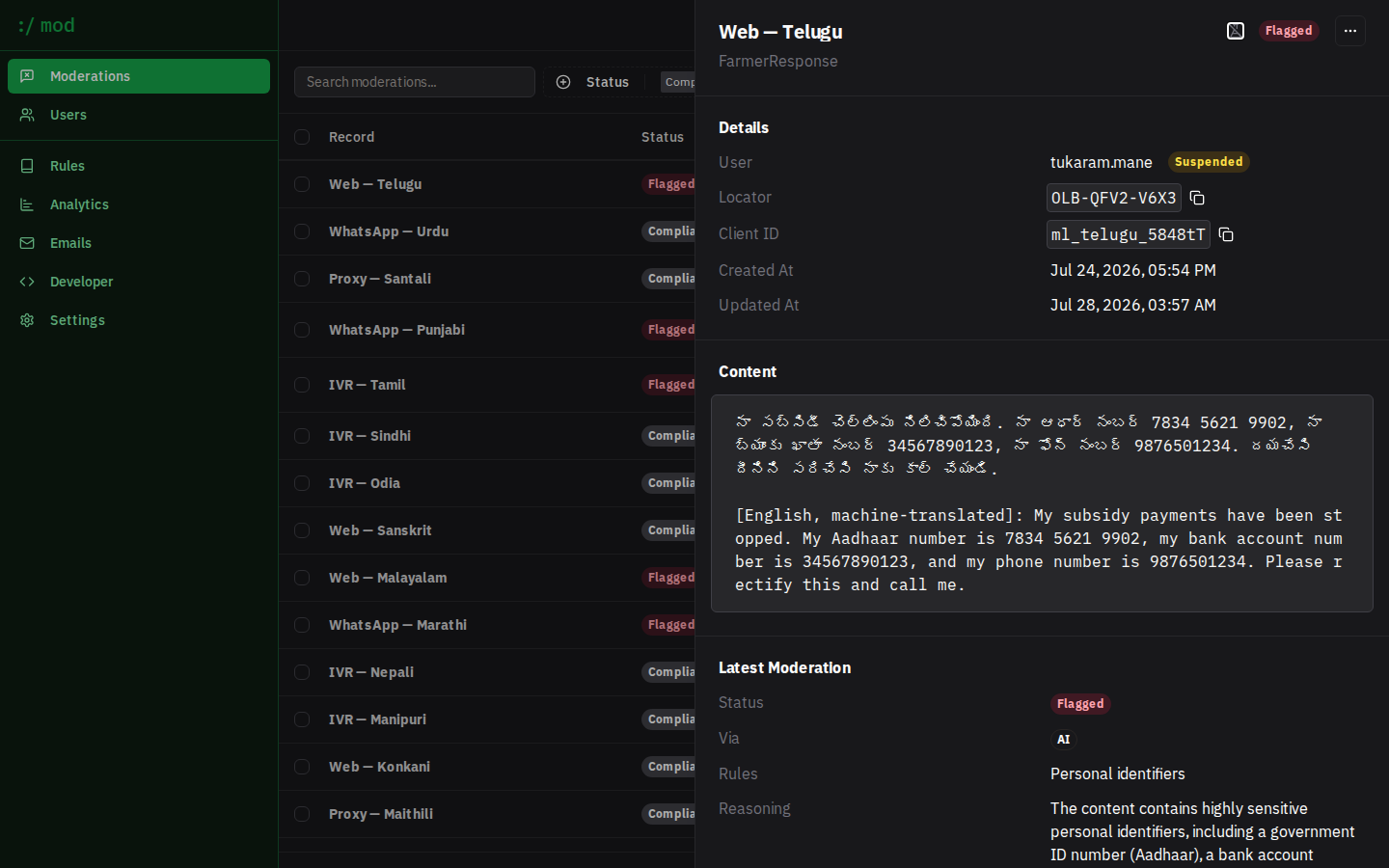
Moderations lists every record with status, channel, entity, and attributed rules; filter by status or entity, or search full text. Click a record to open the detail sheet: content, moderation history, AI reasoning, and actions — re-run moderation, or override with a manual Compliant/Flagged decision. This is the "quarantined, not deleted" loop: a reviewer can always restore a genuine response.
Managing rules
Rules shows your live taxonomy. + New rule creates either a Preset attachment or a Custom rule; editing a custom rule exposes its full LLM prompt for review:
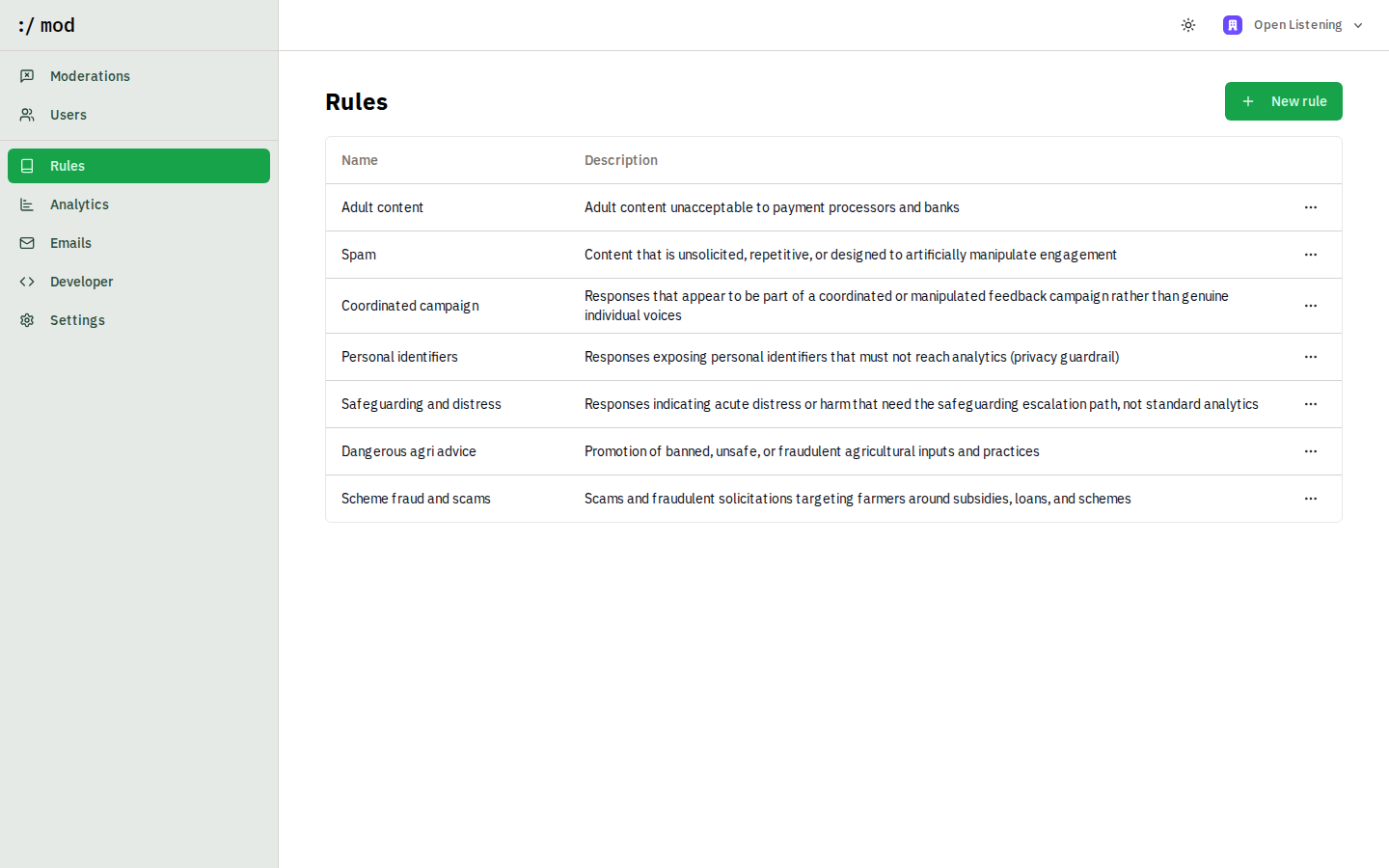
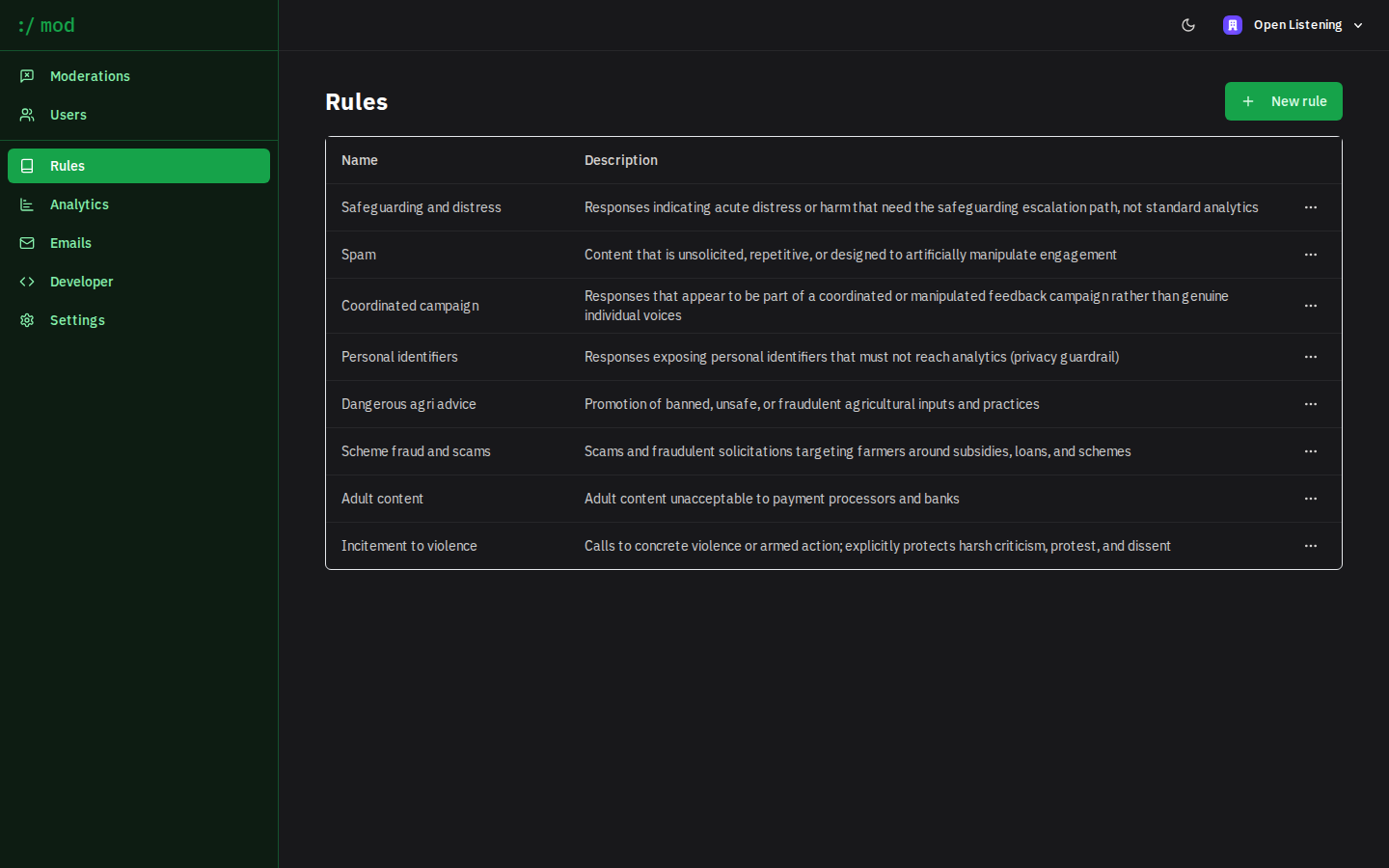
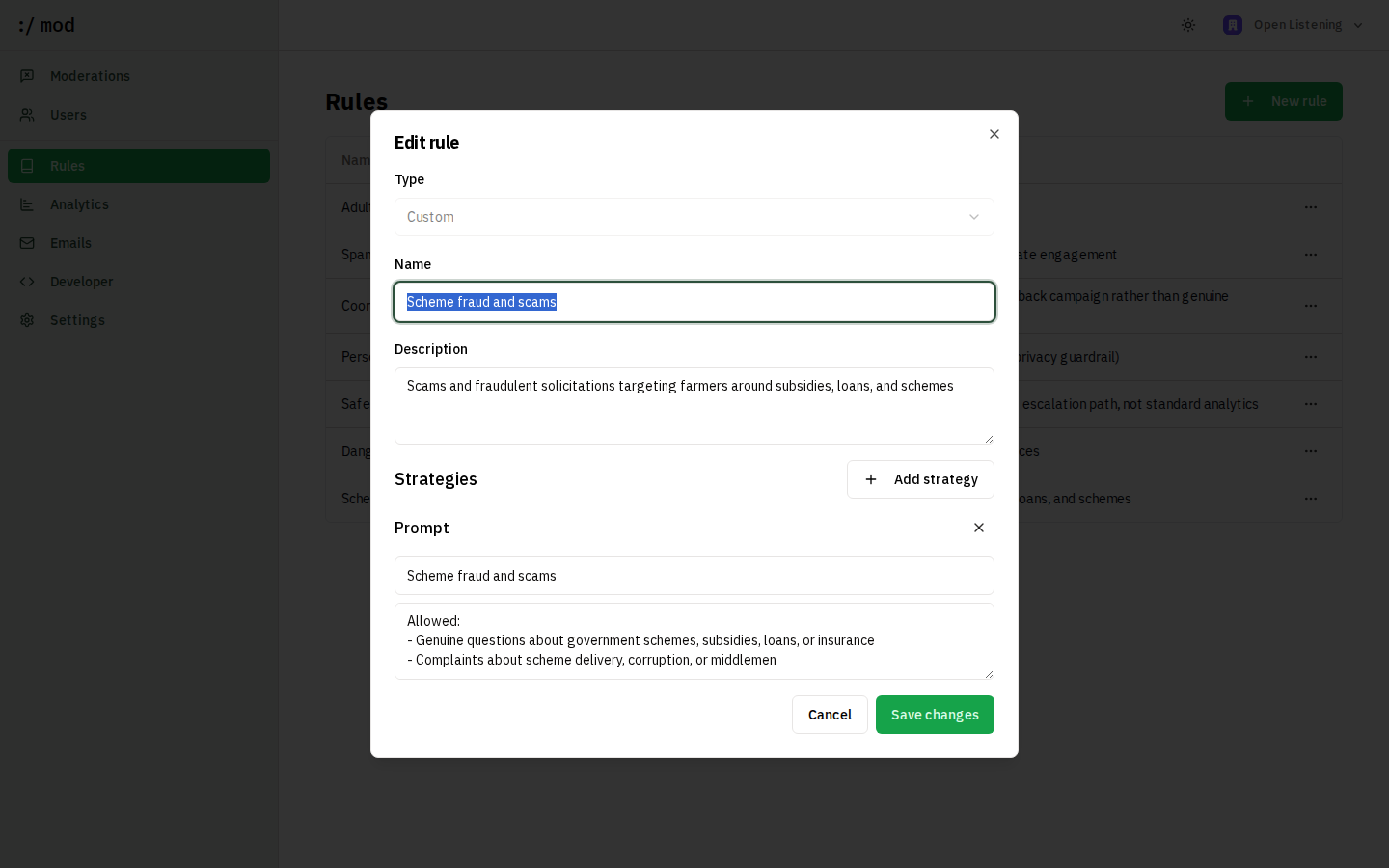
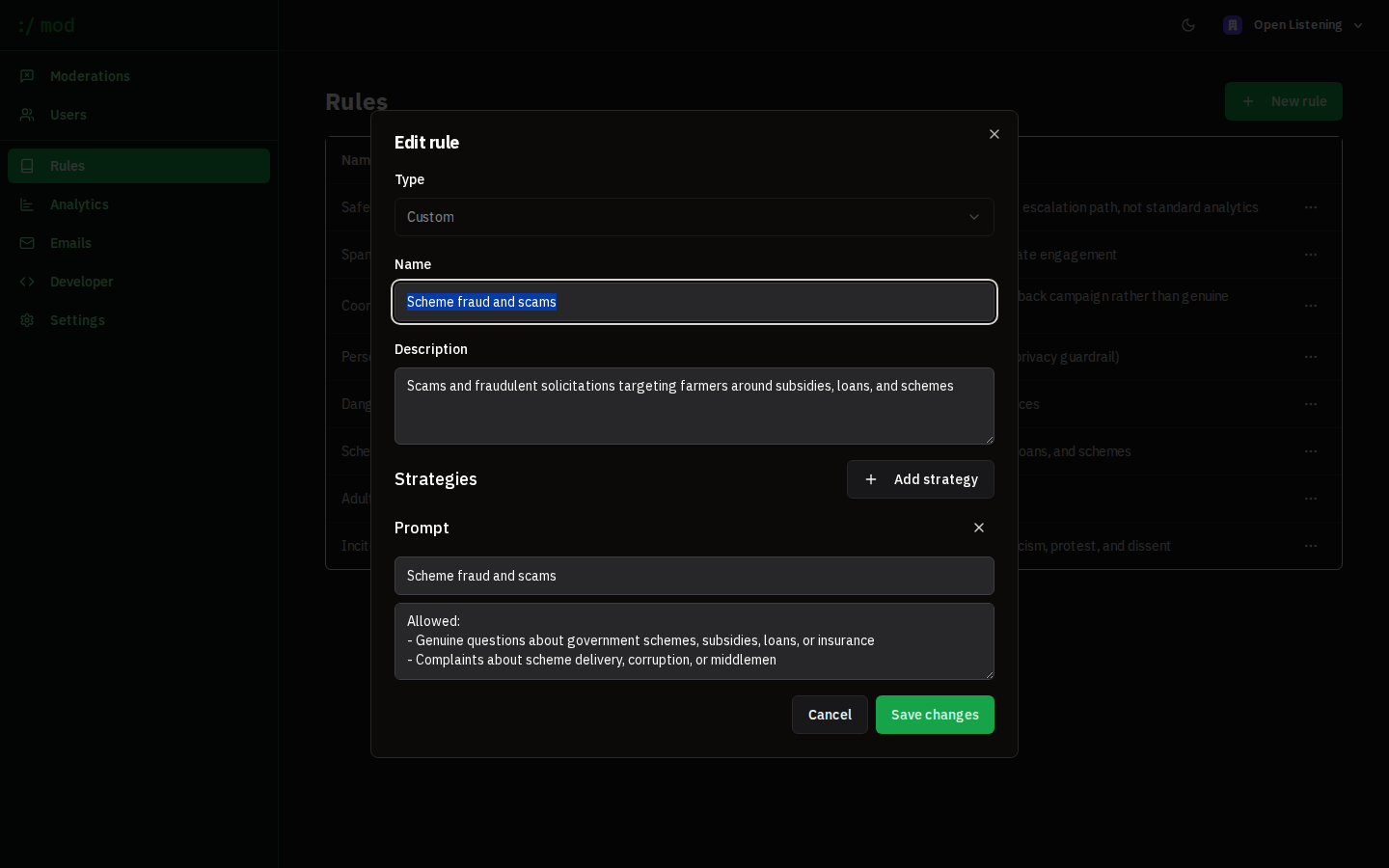
Changes apply to all future moderations immediately. Re-run a record from its detail sheet to re-judge it under updated rules.
Analytics
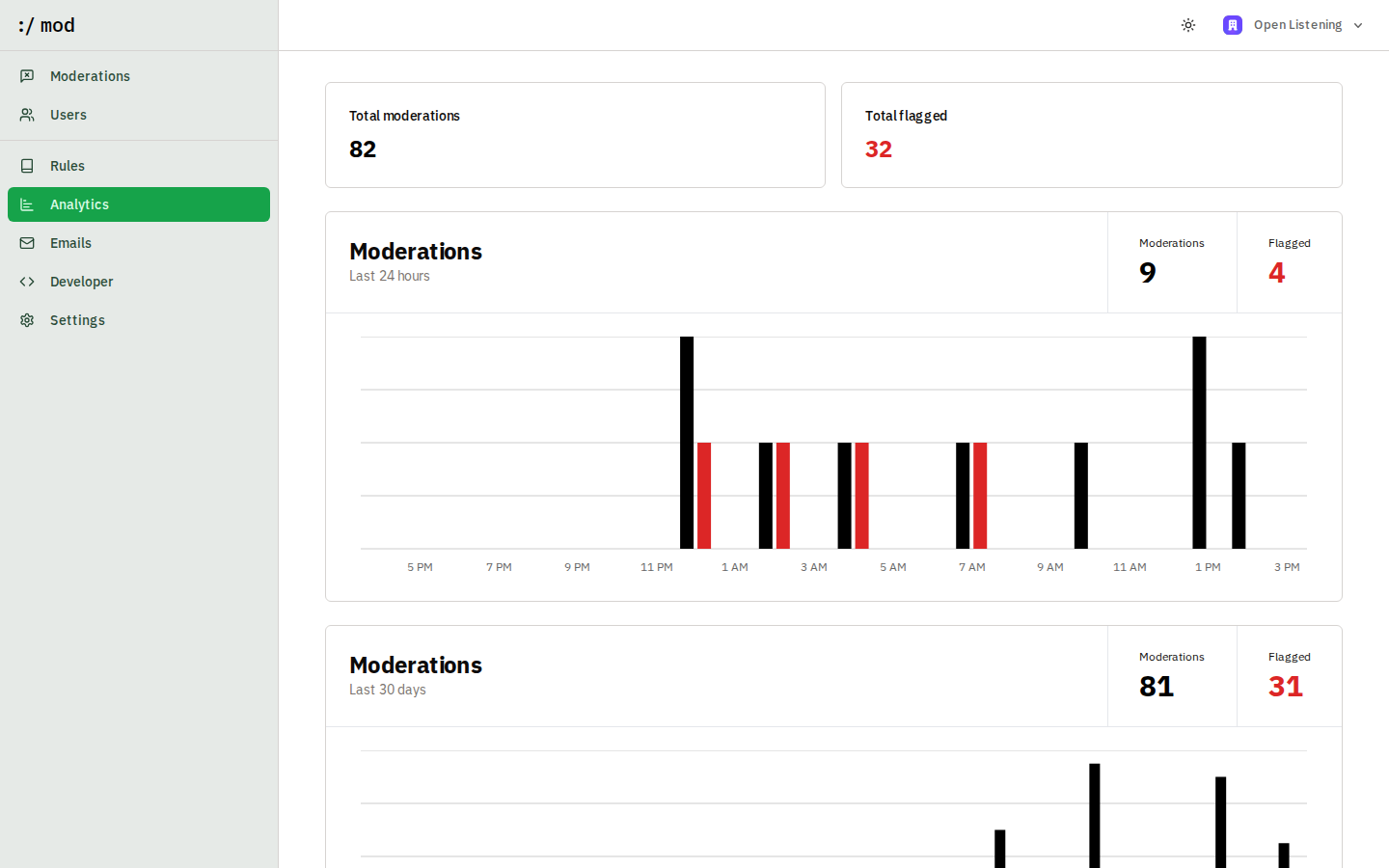
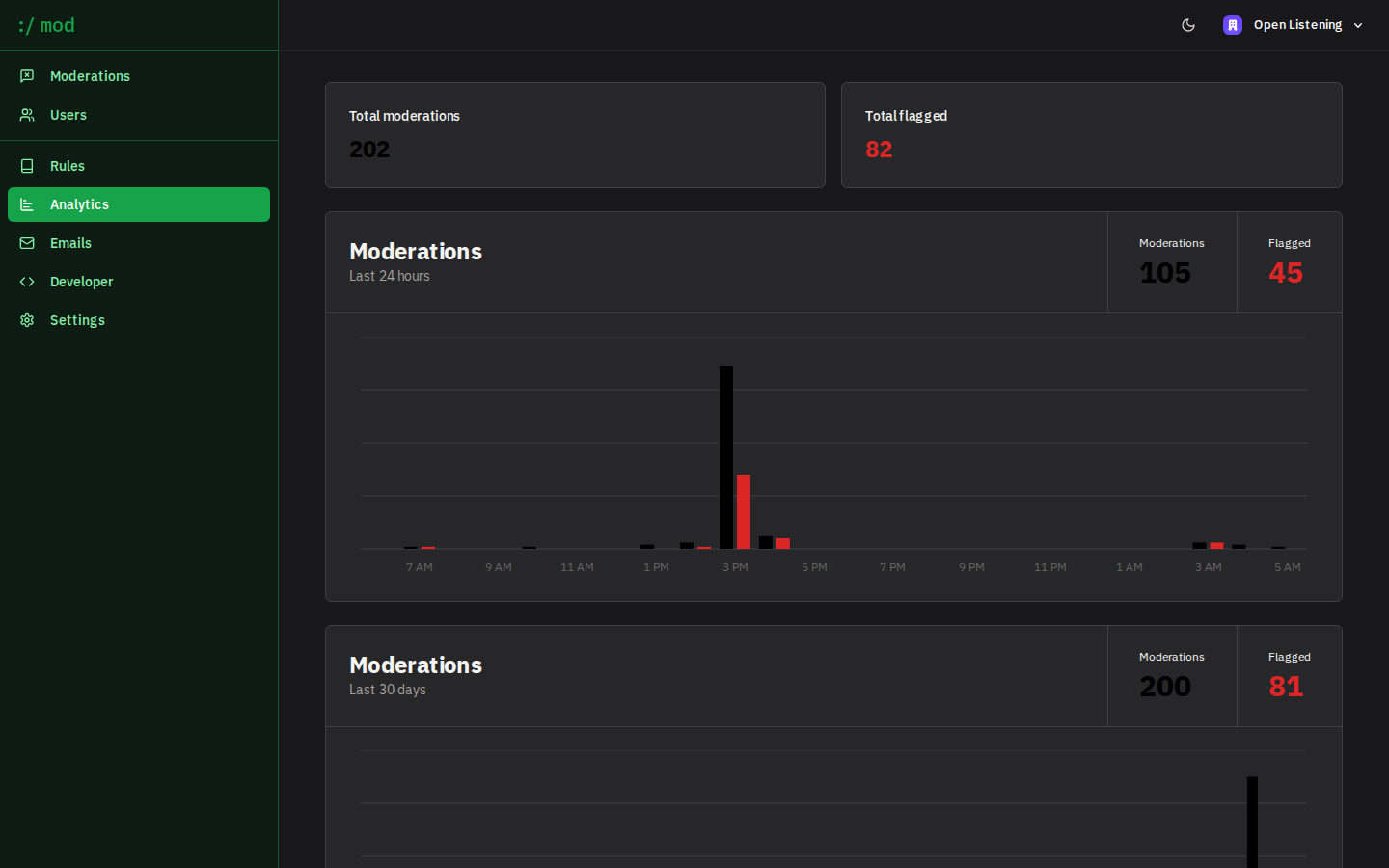
Analytics tracks moderation volume and flag rates over the last 24 hours and 30 days, so programme owners can watch the lag between a farmer speaking and a finding surfacing.
PII redaction
Flagging personal identifiers is not the same as removing them: a flagged record still holds the Aadhaar number in the database. Pass "redact": true on /api/v1/moderate or /api/v1/ingest and identifiers are replaced before the record is written, so the plaintext never reaches storage or analytics.
curl -s https://moderation.proto.theflywheel.in/api/v1/moderate \
  -H "Authorization: Bearer $MOD_API_KEY" \
  -H "Content-Type: application/json" \
  -d '{
    "clientId": "resp_014",
    "name": "IVR — Nanded",
    "entity": "FarmerResponse",
    "content": "My subsidy is stuck. Aadhaar 7834 5621 9902, phone +91 9876501234.",
    "redact": true
  }'

# → {
#     "status": "Flagged",
#     "flagged": true,
#     "categoryIds": ["rule_..."],
#     "locator": "OLB-R3QP-98PJ",
#     "redactions": [{"type": "aadhaar", "count": 1}, {"type": "phone", "count": 1}]
#   }
# stored text: "My subsidy is stuck. Aadhaar [AADHAAR REDACTED], phone [PHONE REDACTED]."
Eight identifier types are recognised: Aadhaar, PAN, phone, bank account, IFSC, UPI VPA, email, and voter ID. Native-script numerals are covered, so an Aadhaar written in Devanagari or Telugu digits is redacted like an ASCII one. The patterns are deliberately conservative, and quintals, prices, survey and gat numbers, pincodes, and years are left alone.
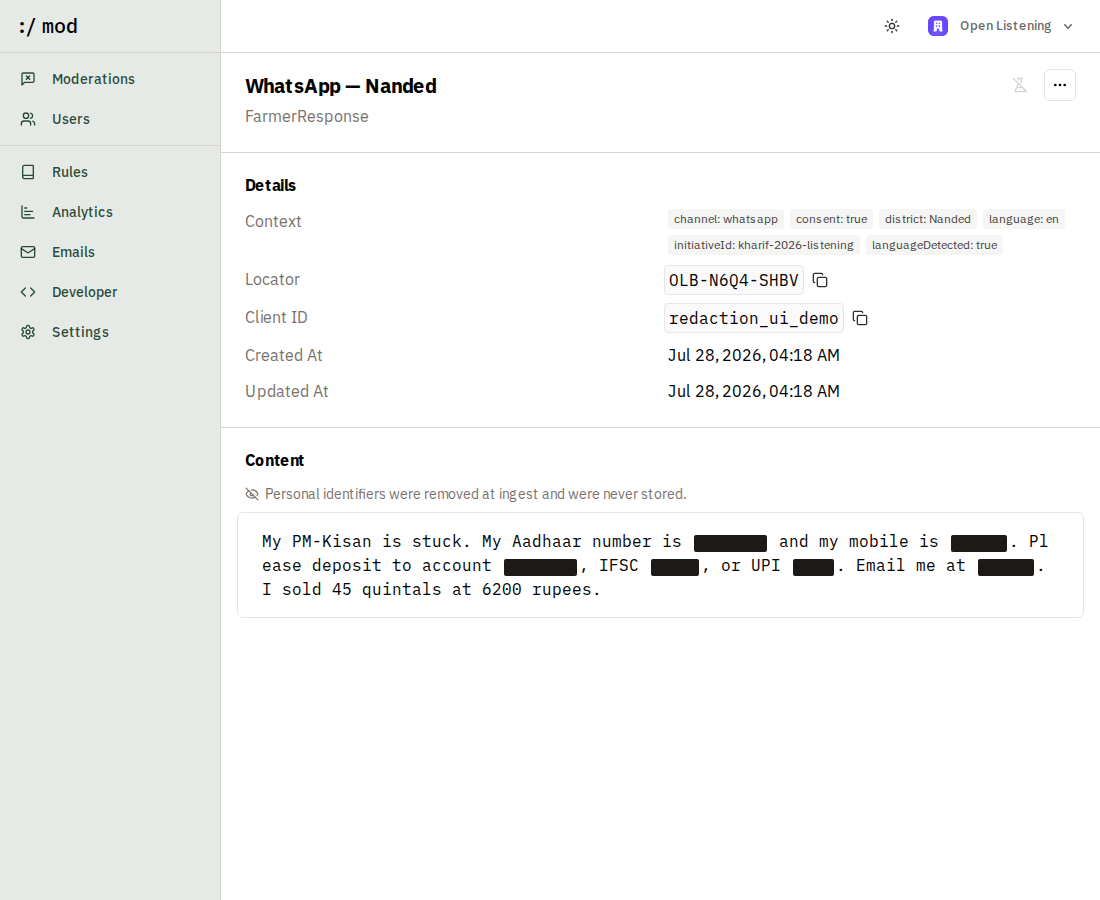
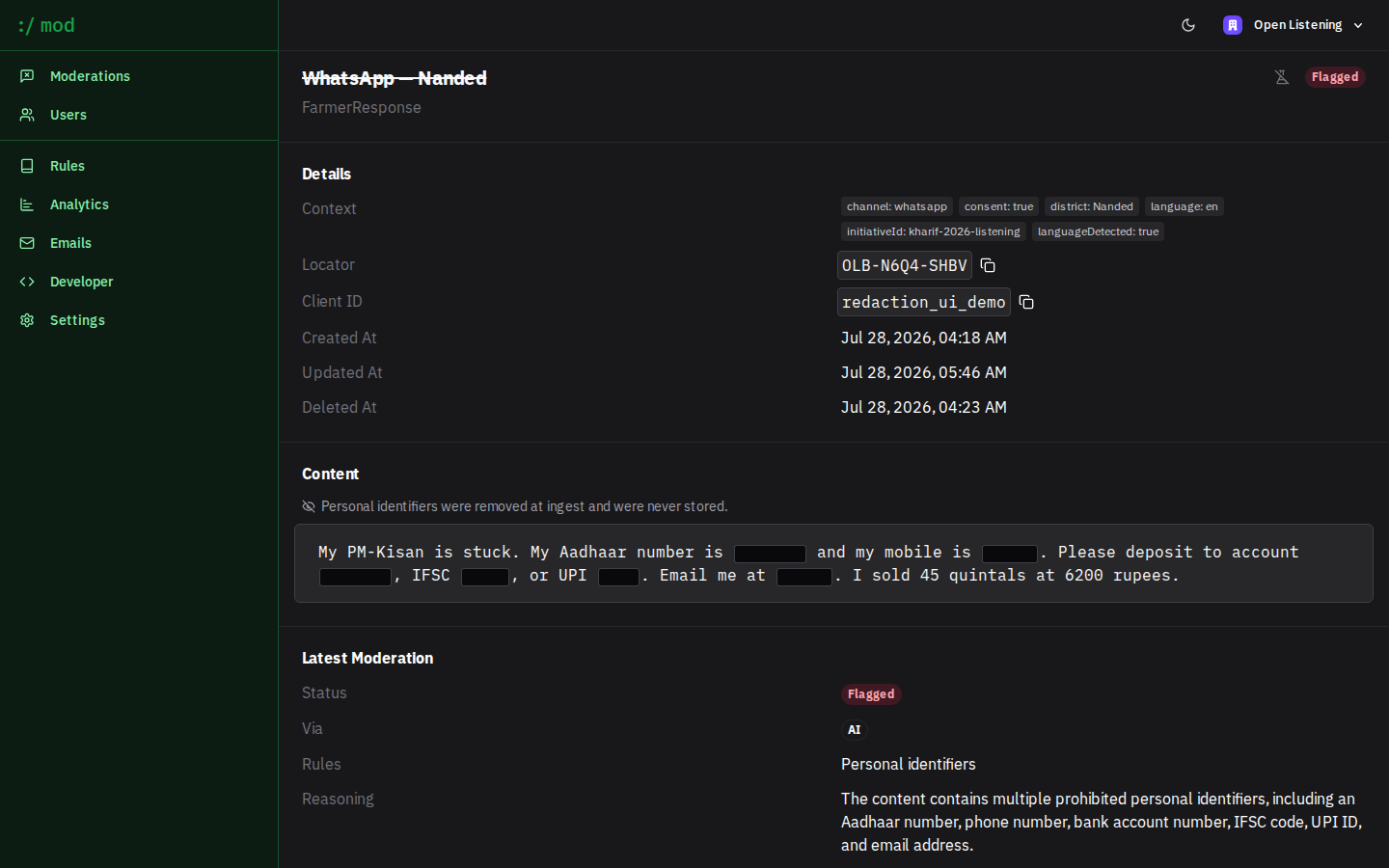
Redaction is lossy and irreversible: :/ mod keeps no copy of the original. The response reports what was removed by type and count so your pipeline can audit coverage without seeing the values. Moderation runs on the redacted text, which is usually what you want, though it does mean a rule cannot judge the identifier itself.
Record locators
Every record gets a unique locator such as OLB-R3QP-98PJ, returned by both write endpoints and shown on the record detail page. Display names repeat by design (many records are "IVR — Yavatmal") and clientId belongs to your system, so the locator is the reference a surveyor can read down a phone line, write on a form, or quote in a methodology note. It uses Crockford base32, which omits I, L, O, and U to survive being re-typed by hand.
Languages & translation
Rules are written in English and judge native-script content directly: in testing, violations planted in Bengali, Hindi, Kannada, Malayalam, Marathi, Punjabi, Tamil, and Telugu were all flagged in the correct category, and strongly-worded genuine complaints in Urdu, Nepali, and Kashmiri passed. You do not need to translate content before moderating it.
The supported language set for the Open Listening pipeline is 12 Indian languages: Bengali, Gujarati, Hindi, Kannada, Malayalam, Marathi, Nepali, Odia, Punjabi, Tamil, Telugu, and Urdu. Two building blocks back it:
- Language detection (
services/language.ts): CPU-only n-gram detection at ~27ms per call, verified 12/12 correct on native samples, including Hindi vs Marathi vs Nepali, which share a script. English detects too, which is the signal to skip translation. Inputs outside the set are attributed to the nearest supported language. - Translation: an optional TranslateGemma stage (any OpenAI-compatible completions endpoint) can attach an English machine translation to native-script records so reviewers who do not read the source script can still audit decisions. The multilingual demo dataset (
db/seed/multilingual.ts) shows the full round-trip: native response → English translation → moderation on both texts.
Choosing the LLM
Prompt rules are evaluated by an LLM reached over the OpenAI API shape, so any OpenAI-compatible server works: OpenAI itself, or open-source models behind vLLM, LiteLLM, or Ollama. The only hard requirement is JSON-schema structured output (response_format: json_schema), which vLLM and LiteLLM support.
Configuration is layered:
- Server defaults (env):
OPENAI_BASE_URL,MODERATION_MODEL, andOPENAI_API_KEYset the deployment-wide model. Unset, they mean OpenAIgpt-4o-mini. - Per-organization override (Dashboard → Settings → Moderation model): base URL, model name, and API key fields let each organization point at its own endpoint without touching the server. The API key is stored encrypted; empty fields fall back to the server defaults. Changes apply to the next moderation with no restart.
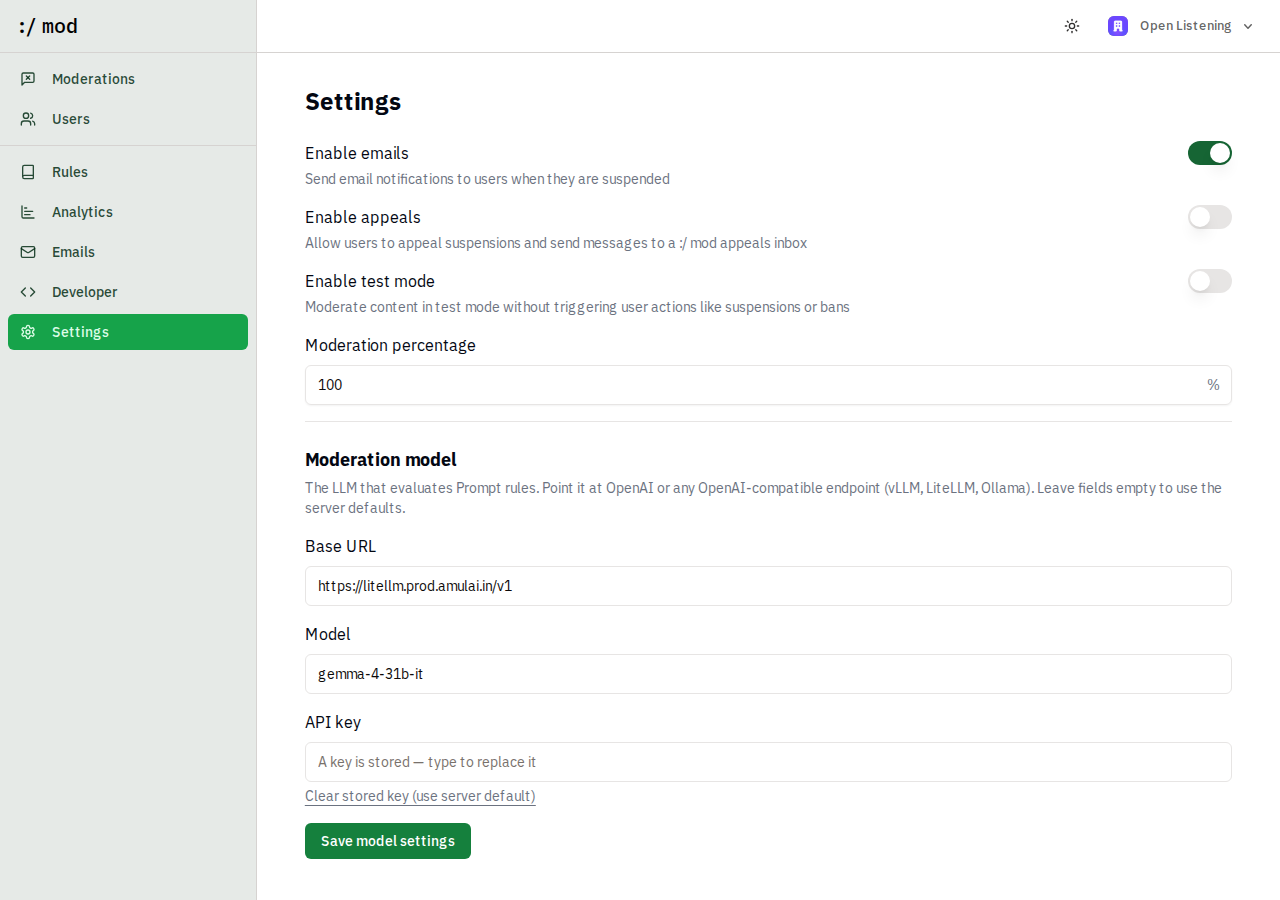
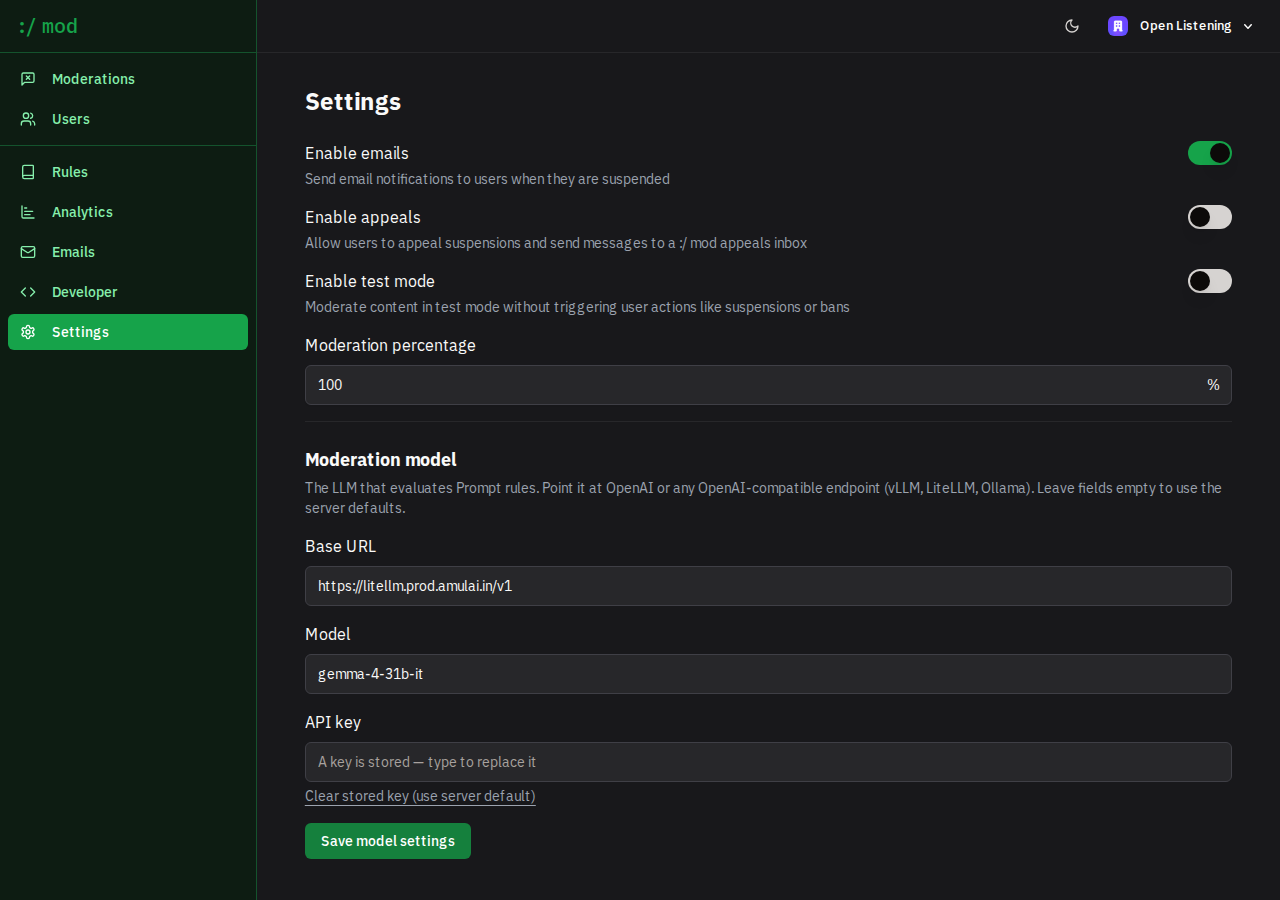
This deployment's default is gemma-4-31b-it behind a LiteLLM gateway; in a like-for-like run over the demo dataset it agreed with gpt-4o-mini on 95%+ of decisions.
User lifecycle
When records carry a user, :/ mod tracks flags per author. Crossing the configured threshold (Dashboard → Settings) suspends the user automatically and emits user.suspended; once the flagged content is removed or cleared, compliance is restored without any manual step. Users with protected: true are never auto-actioned. Reviewers can suspend, unsuspend, or ban from the Users page.
Appeals
Suspended users receive a link to a hosted appeal form (email delivery requires Resend to be configured). Appeals land in Dashboard → Inbox as threaded conversations where reviewers reply, unsuspend, or reject — the human escalation path for anything the AI got wrong.
Webhooks
Register an endpoint in Dashboard → Developer. Payloads are signed (verify with your webhook secret) and sent for:
- record.flagged
- record.compliant
- user.suspended
- user.compliant
- user.banned
Pair /api/v1/ingest with record.flagged to hold flagged responses out of your analytics pipeline, and record.compliant to release them.
Starter taxonomy
This deployment ships seven categories tuned for agricultural listening:
- Spam — bulk, repetitive, engagement-bait content
- Coordinated campaign — templated or scripted mass responses posing as individual voices
- Personal identifiers — Aadhaar/PAN, phone, bank/UPI details that must not reach analytics
- Safeguarding and distress — self-harm signals, abuse reports, threats; routed for human escalation
- Dangerous agri advice — banned pesticides, unsafe dosages, unverified "miracle" inputs
- Scheme fraud and scams — fee-to-unlock-subsidy fraud, OTP phishing, official impersonation
- Adult content — stock preset
Edit the prompts, delete what you don't need, and add your own, from the dashboard or the API.
Self-hosting
:/ mod runs as a Next.js app with PostgreSQL, an Inngest worker for asynchronous jobs, and an OpenAI-compatible LLM endpoint for Prompt strategies. Clone the repository, copy .env.example to .env.local, run npm run dev:db:setup, and start with npm run dev. Seed the demo agricultural dataset (moderated by the live pipeline) with npm run dev:db:seed:agri.